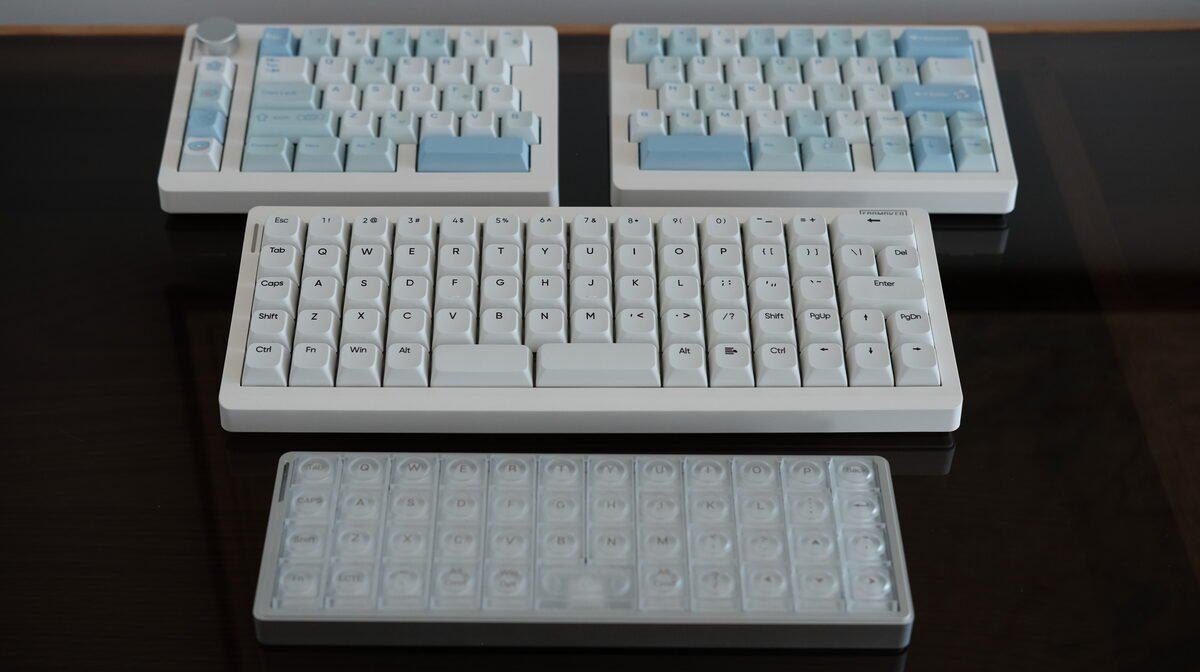
After spending a few years in the realm of split ergonomic keyboards, I had mostly stopped paying attention to regular mechanical keyboards. Times sure have changed though; what used to require group buys, long waits, and a suspicious amount of disposable income is now showing up as off-the-shelf boards with gasket mounts, wireless modes, easy programmability, and stock switches that don’t need to be meticulously disassembled and lubricated for a whole afternoon.
My attention for these “traditional” input devices was piqued again when Epomaker reached out and asked if I wanted to try a few of their boards. Here were the three boards that caught my eye:
- Luma40: a small low-profile ortholinear board in an aluminum case
- Hack70: a larger mostly-ortholinear board with QMK/VIA support and split spacebars
- Split70: a row-staggered split keyboard for people who want a split without relearning every key position
This post covers an in-depth review of these boards, where each keyboard section answers the following questions:
- What kind of keyboard is it?
- What’s the build quality like?
- How does it type?
- What’s interesting about it?
- Who’s it for?
Now, on to the keebs!
Disclaimer: Epomaker sent me these keyboards for review. They did not tell me what to write, which is good, because it turns out I have some mildly strong opinions about space bars…
Similarities
All three boards support wired USB-C, Bluetooth, and a 2.4GHz USB-A dongle. All three also have RGB. For wired, the box includes a braided USB-A to USB-C cable.
They also all support custom keymaps using VIA. To use it, you first need to download the keyboard’s json file from their website, then upload that to the VIA web app so it can recognize the keyboard. More detailed instructions can be found on Epomaker’s beginner’s guide or advanced guide.
Luma40
What is it?
The Luma40 is a 40% low-profile ortholinear keyboard in a silver aluminum case. It’s quite small and compact, having no number or function row, so using layers with a board of this size is a must.
I’ve been wanting to try a true ortholinear board for years, something about the uniformity and compactness is quite alluring, even if it’s not the most ergonomic. So this was a convenient opportunity to finally try one!
For the Luma40, all keys are 1U with the exception of the 2U space bar. There aren’t any stabilizers on the space bar, which may bother some people if you tend to hit it near the edge vs the center. I fortunately didn’t experience any binding while using it though, but this would be one thing that would’ve been nice to include.
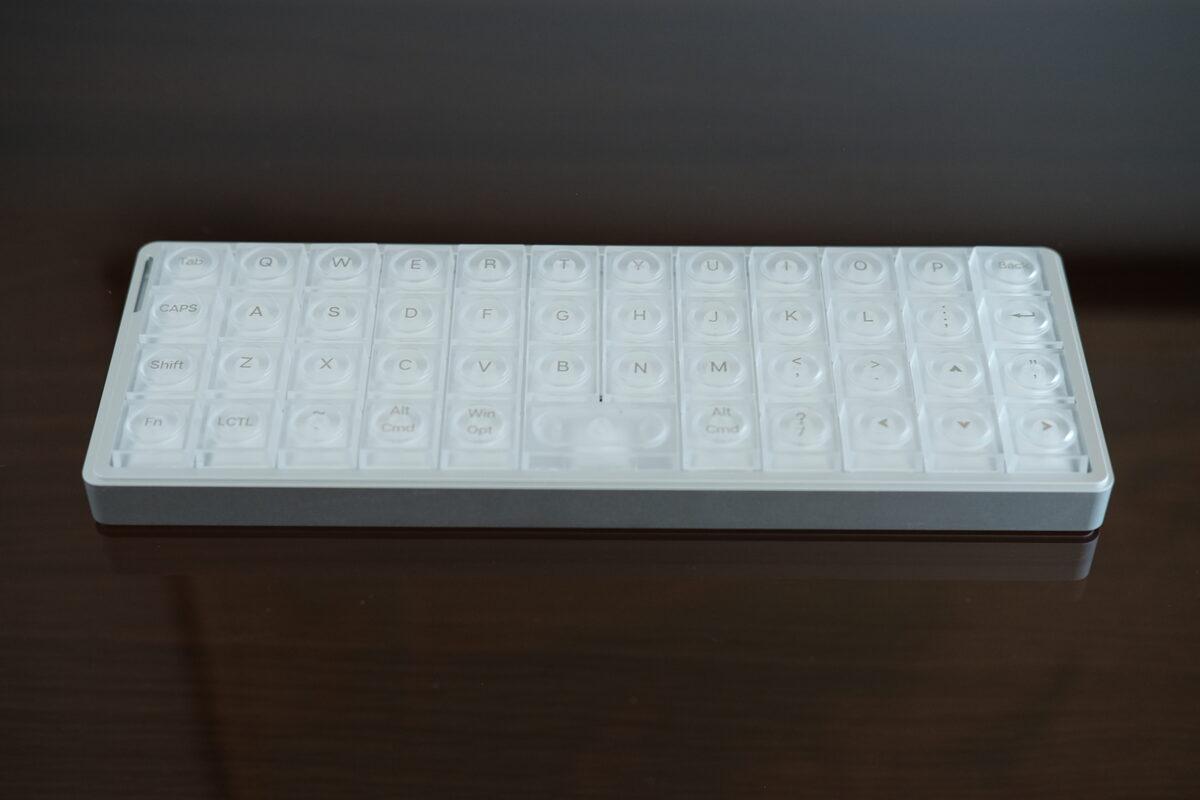
Luma40, lights off.
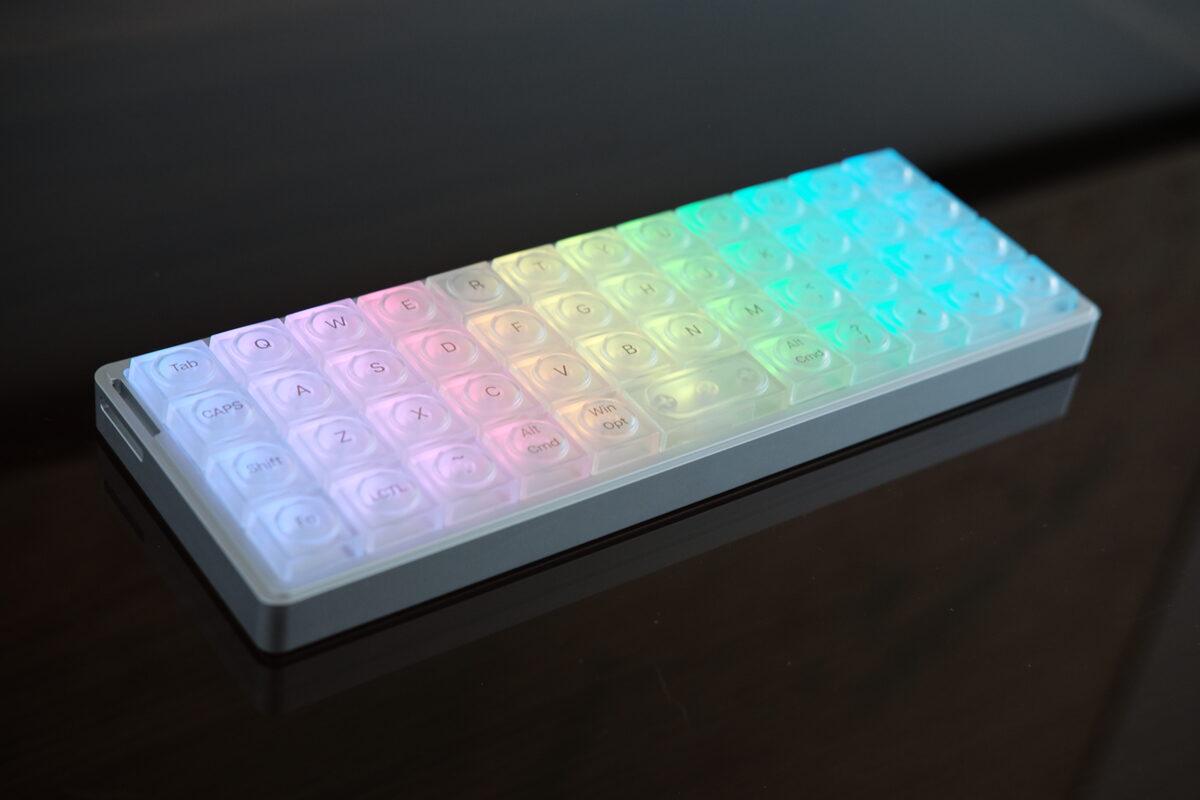
The translucent caps show the RGB clearly, especially in a dim room.
What’s the build quality like?
For me, the aluminum case is the main selling point. It gives the Luma40 enough mass that it doesn’t slide around on my desk. The rubber pads on the bottom are thin, but they kept the board planted on my desk.
The translucent keycaps leave a bit to be desired, but I’ll get into that more in the next section…
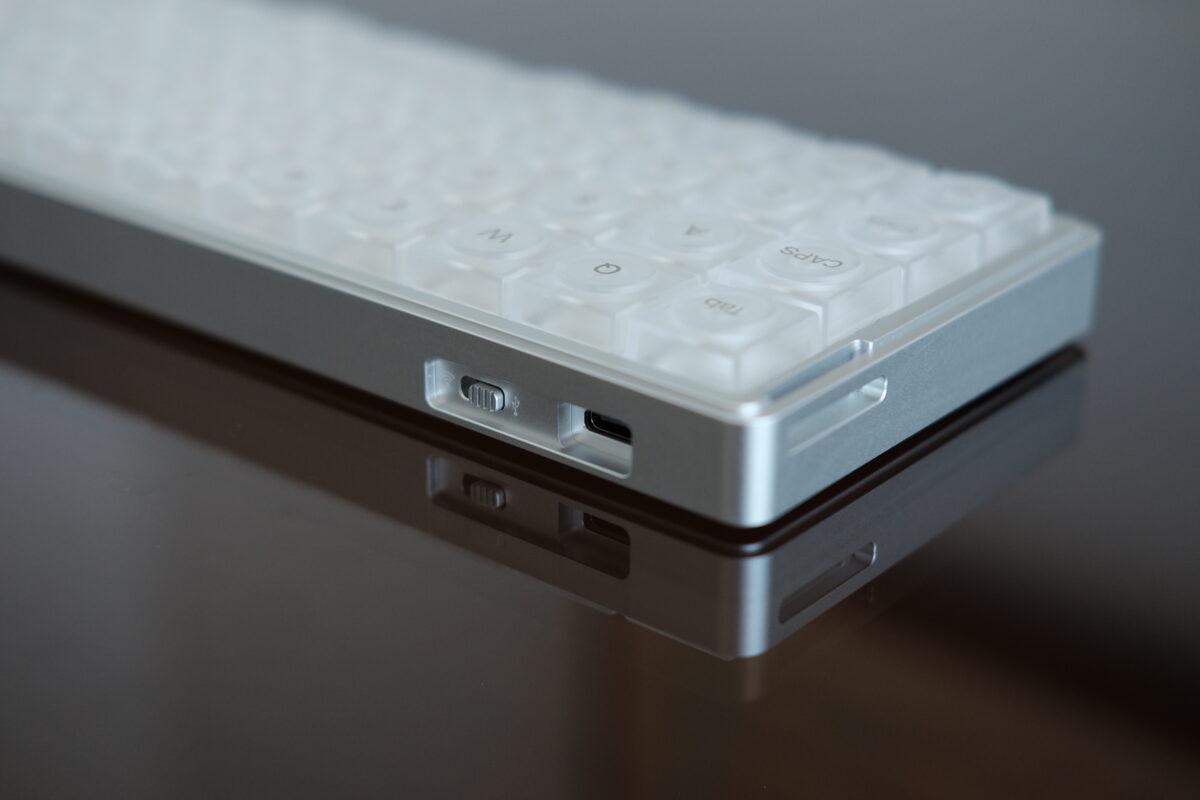
View of the back showing the USB-C connector, wireless toggle, and strap mount.
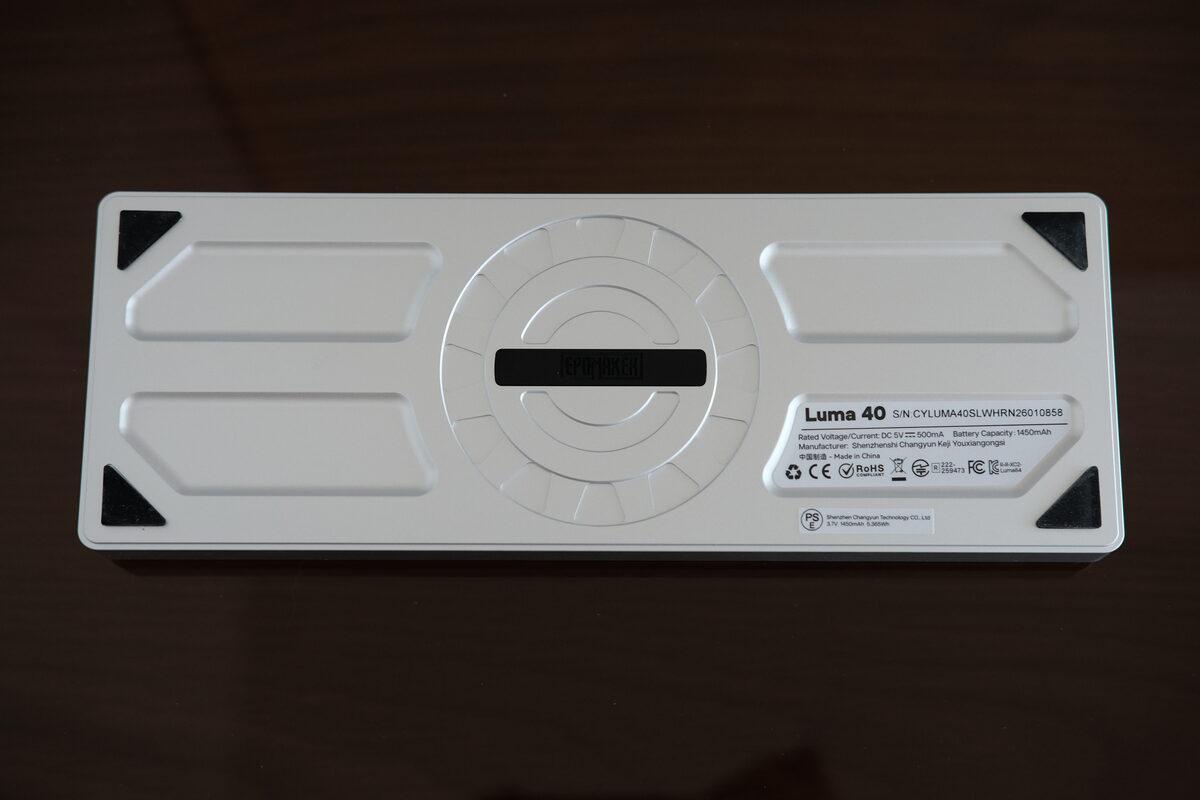
The underside is simple: rubber pads, screws, and no flip-out feet.
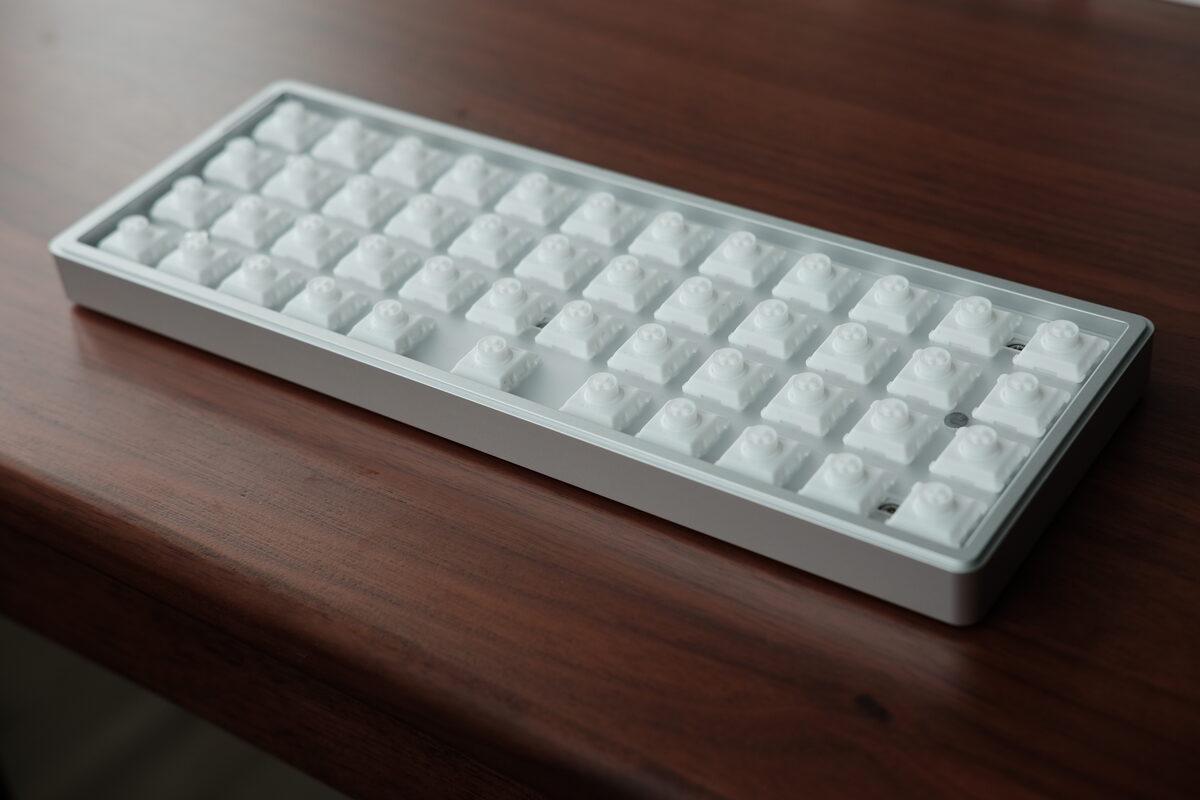
Keycaps removed.
The case comes apart with five small screws. Inside, there is a foam sheet at the bottom of the case, a 1450mAh battery glued to the shell, and a PCB connected with what looks like a standard JST connector.
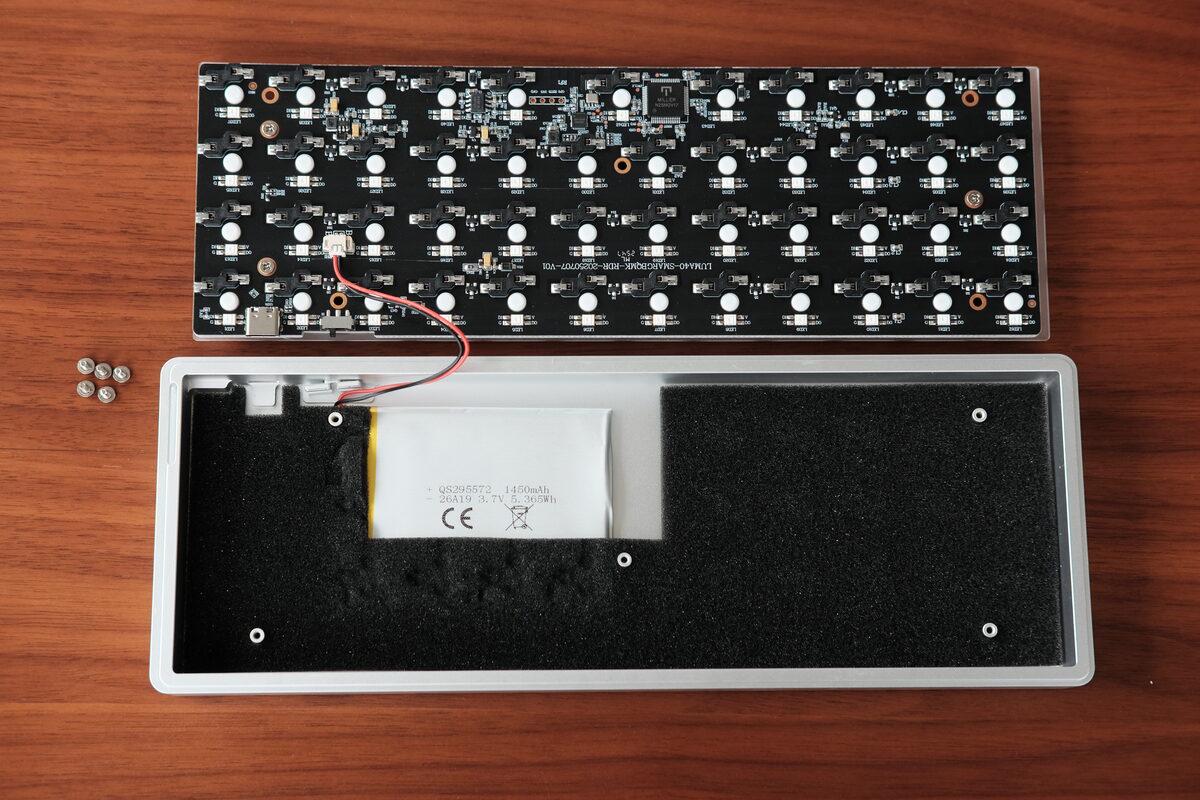
PCB removed, exposing the foam panel at the bottom of the case.
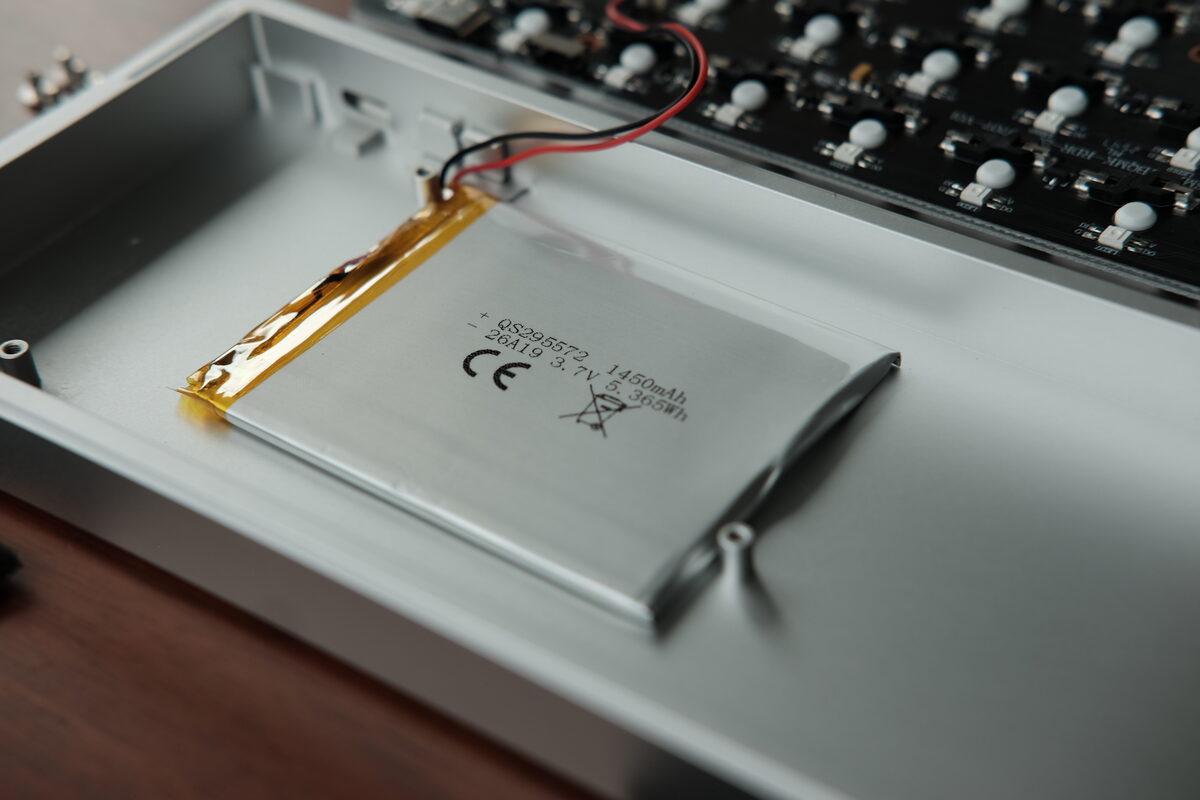
The 1450mAh battery is thin and glued securely to the case.
The board runs off a seemingly unknown microcontroller, where the marking on it just says MILLER N25NOV17. This appears to be a custom, proprietary microcontroller, which manufacturers do because it’s cheaper to produce than using an off-the-shelf development chip like RP2040 or nRF52840, which is commonly used in the custom keyboard community.
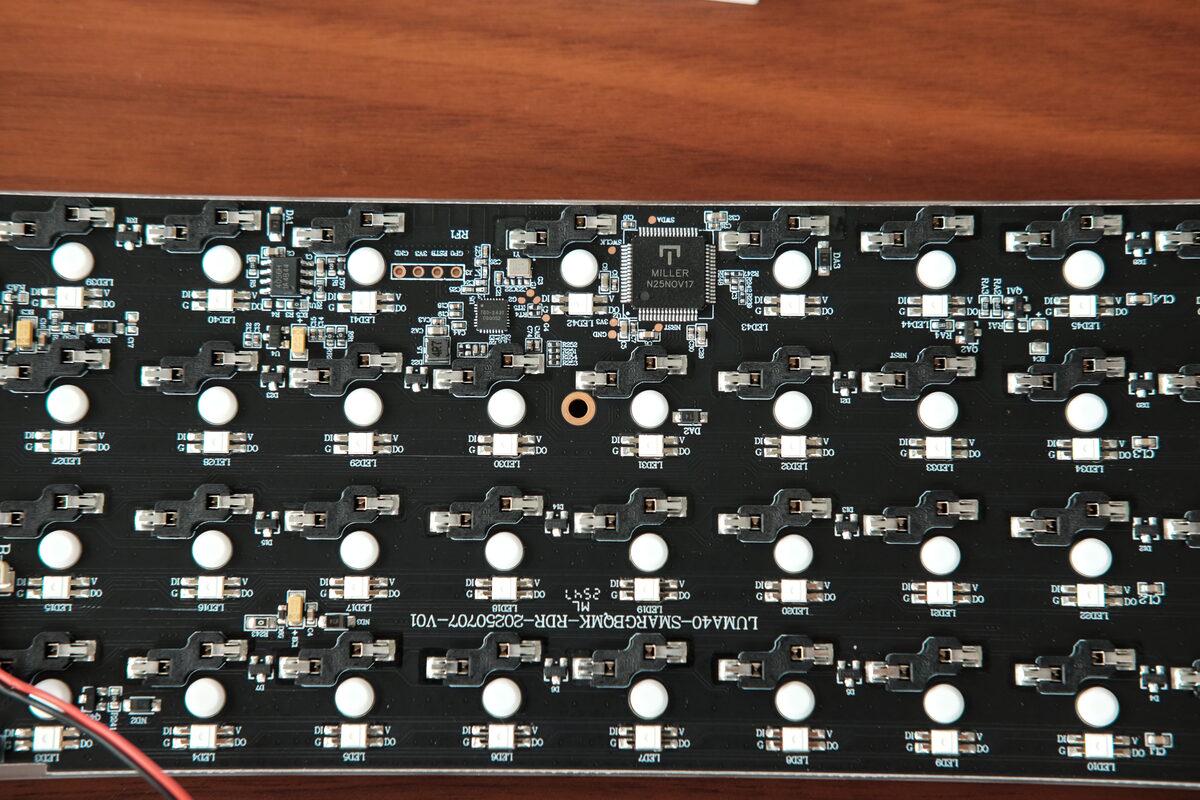
Close-up of the PCB.
The switches are advertised as hot-swappable, but the plate tolerances seemed way too tight on my unit that I stopped after removing one corner switch (which was already a struggle). I had to wiggle it out carefully, and the others felt like they were closer to “technically removable” than “casually swappable.” Hopefully just a tolerance issue for this board or batch?
Under the switch there is a small gasket layer between the plate and PCB that the switch sits on top of, for some additional damping.
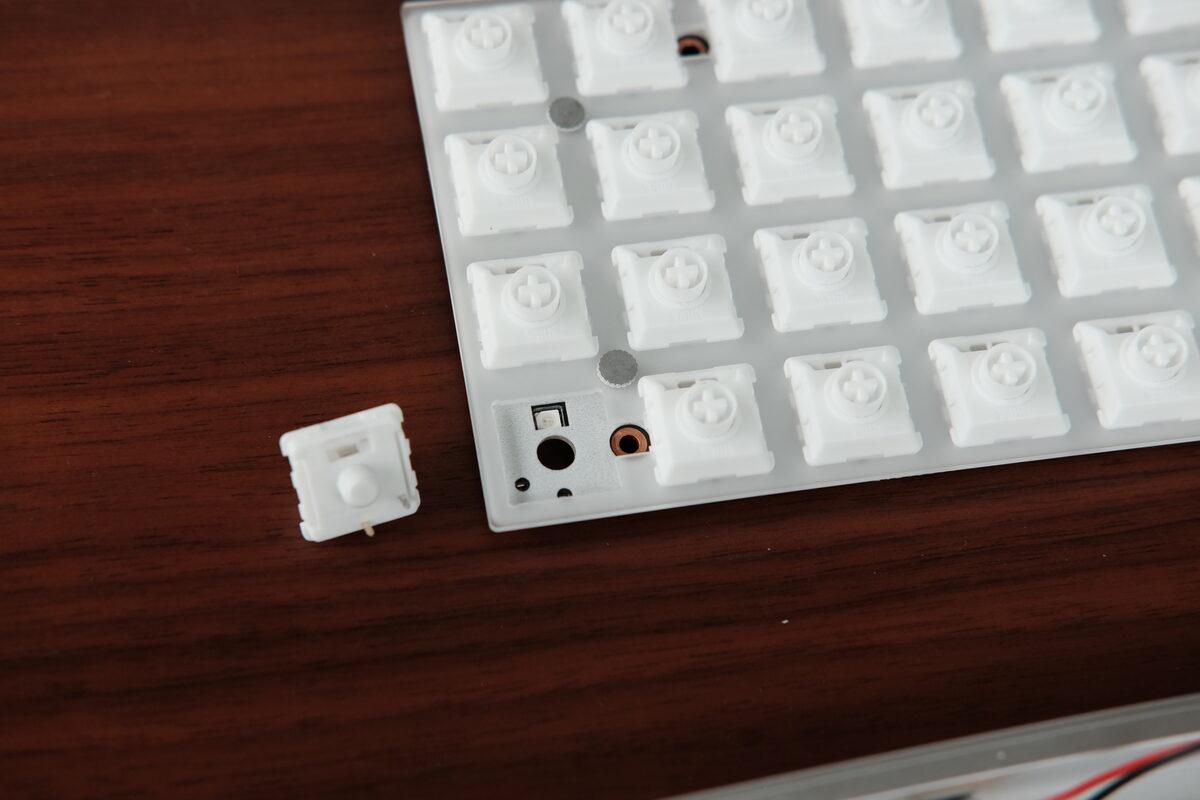
Switch removed, exposing a thin gasket between the plate and PCB.
How does it type?
The keyboard comes with Kailh White Rain switches, which are low-profile linear switches with a POM stem and 50gf actuation force. This paired with the aluminum case and foam inserts makes for a pleasant typing experience, but it’s definitely not as thocky as a high-profile keyboard.
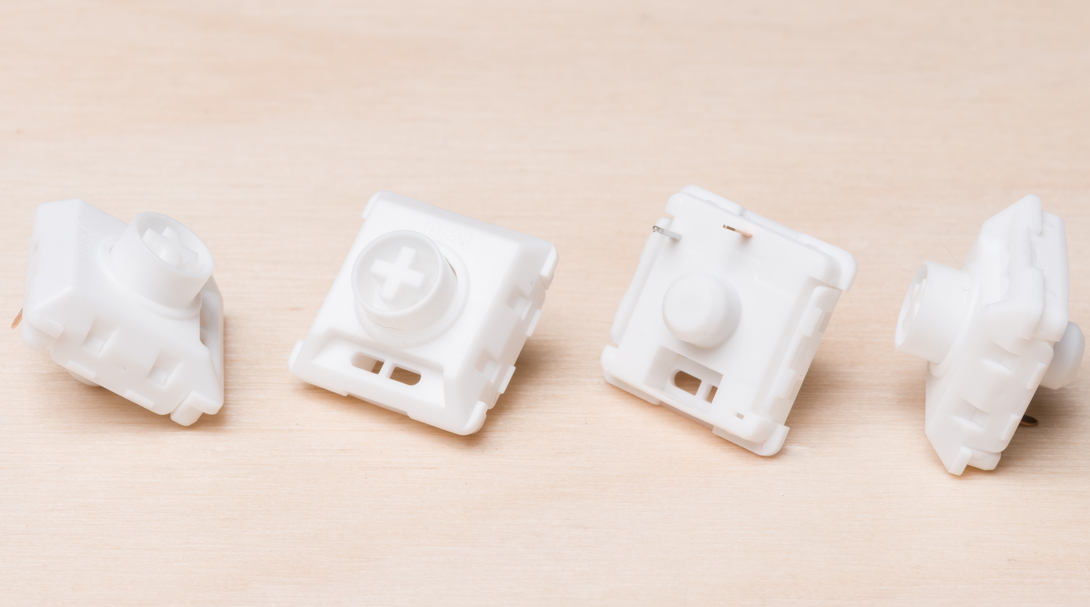
Close up of the Kailh White Rain switch. (Source: RTings)
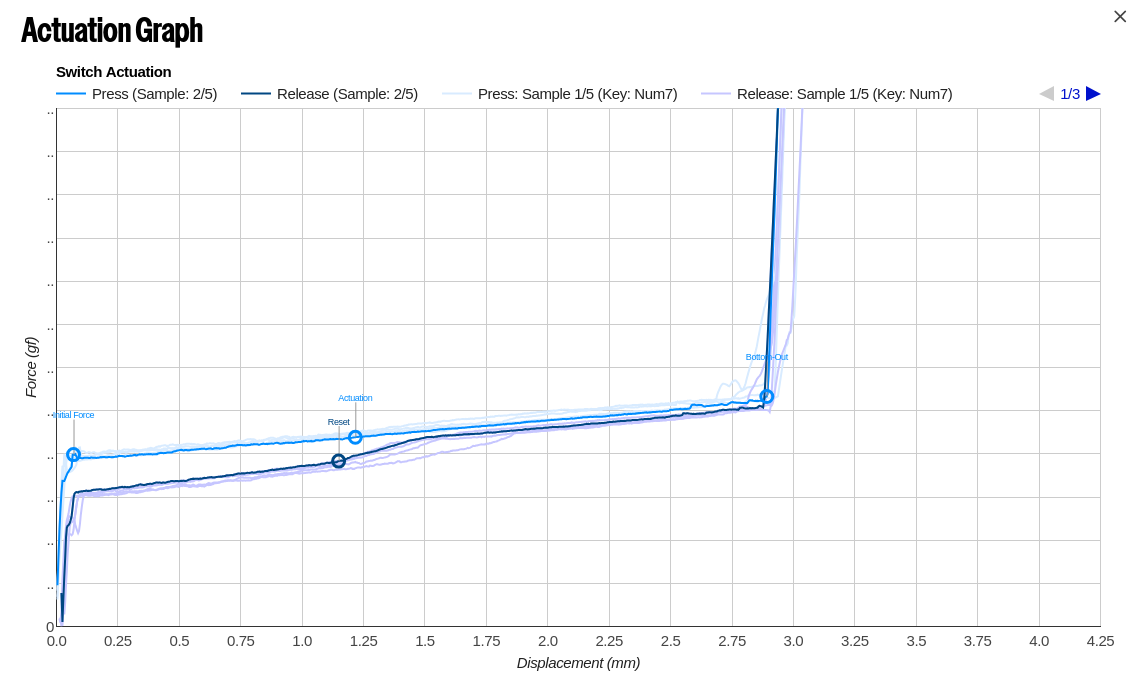
Keystroke actuation, force vs displacement. (Source: RTINGS)
In depth review of the Kailh White Rain switch
The keycaps are the part I kept noticing, and unfortunately not for good reasons. They are translucent, which works well for RGB, but the top surface is a circular dish instead of the cylindrical or spherical scoop used on many common profiles. This means there’s less surface area for each finger pad, and something about the radius of the circular pad makes it less comfortable than a traditional, flatter profile.
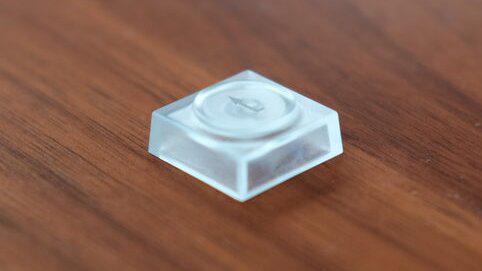
Close-up of the circular dish on the keycap.
What’s interesting?
40% keyboards makes the user of layers unavoidable, which does have its own learning curve if you’re not accustomed to it already. All the alpha keys are on the main layer, but numbers and symbols need to be accessed by holding down MO(2) (bottom left corner, by default).
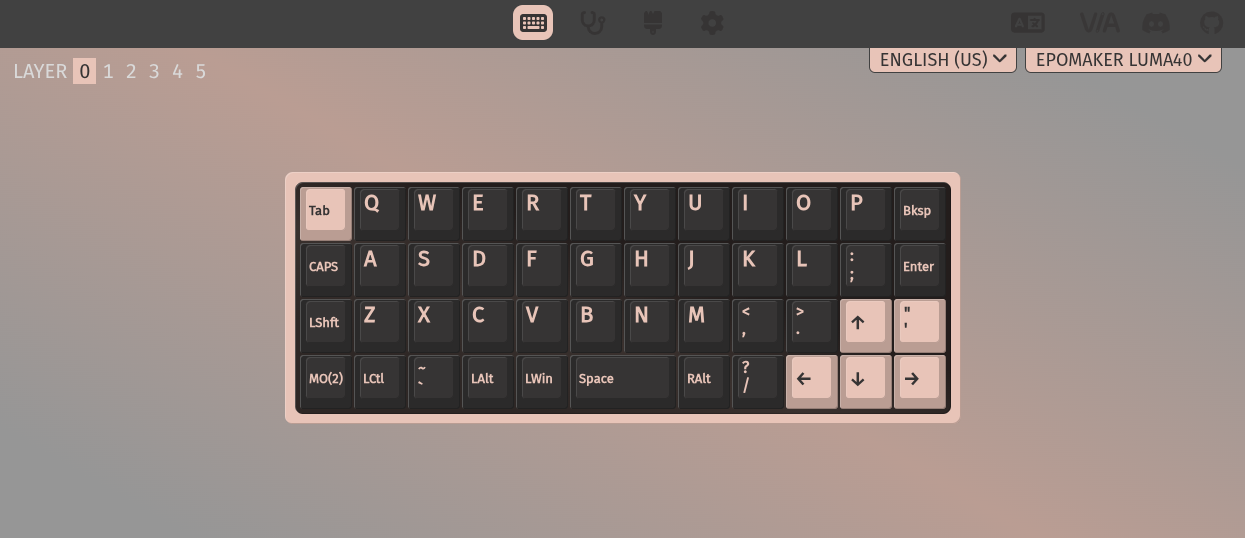
Base layer.
I’m not a huge fan of the default secondary layer, as I prefer to have my numbers arranged in a numpad, and symbols on the other side, as described in my blog post here. But this is easy to change!
Programming and gaming on a keyboard this small requires designing your own keymap to have it suit your own workflow, which is something not everyone is willing to take the time to do (and no shade either, some people just want to type!). But since I’ve been down this path already, using this keyboard as a daily driver was no issue for me :)
One cool thing about this (and the other keyboards) is that pressing QK_BAT changes the RGB lighting to show the remaining battery level. Clever use of a status indicator without needing separate LEDs.
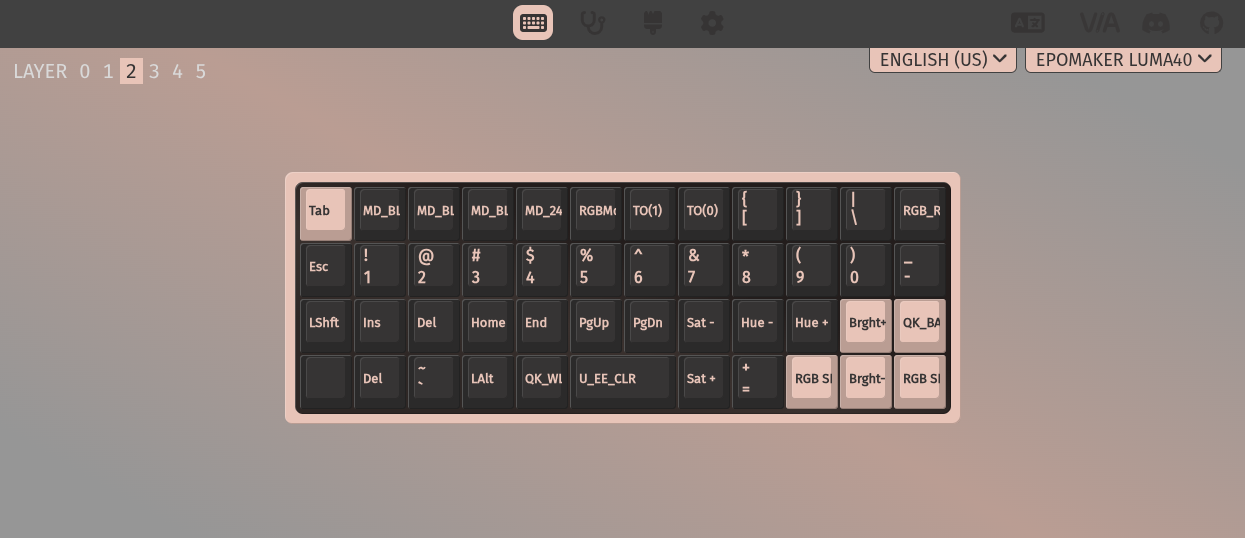
Secondary layer.
Who is it for?
The Luma40 makes the most sense as a compact secondary keyboard: couch computer, travel bag, small desk, or a low-commitment way to try ortholinear typing. It’s a solid form factor for enthusiasts, but it does require some time commitment to get used to it.
Don’t get me wrong, it’s definitely possible to use this as a daily driver, since many people use Corne keyboards which has 42 keys, or many even going down to 36 keys or fewer. The main difference with ortholinear layouts is the lack of a true thumb cluster, but there are keys along the bottom row that can be used in place of them.
After a week, I found liked it more than I did on day one. The keycaps still would be the first thing I changed, but the size and case made it easy and fun to type on, along with taking up very little space on my desk (or wherever you may be using this).
Hack70
What is it?
At first glance, the Hack70 was the most intriguing board of the three because there aren’t many full-sized ortholinear boards, especially with split space bars. You get more keys than the Luma40, less width than many 65% boards, and a split space bar.
The split space bar design is intriguing because it brings the essence of having a thumb cluster to traditional keyboards, where a popular use of it would be turning it into an easy-access layer key. The length of space bars was due to physical and mechanical limitations with typewriters, so it’s nice to see a modern take on the design that’s a bit more function over form.
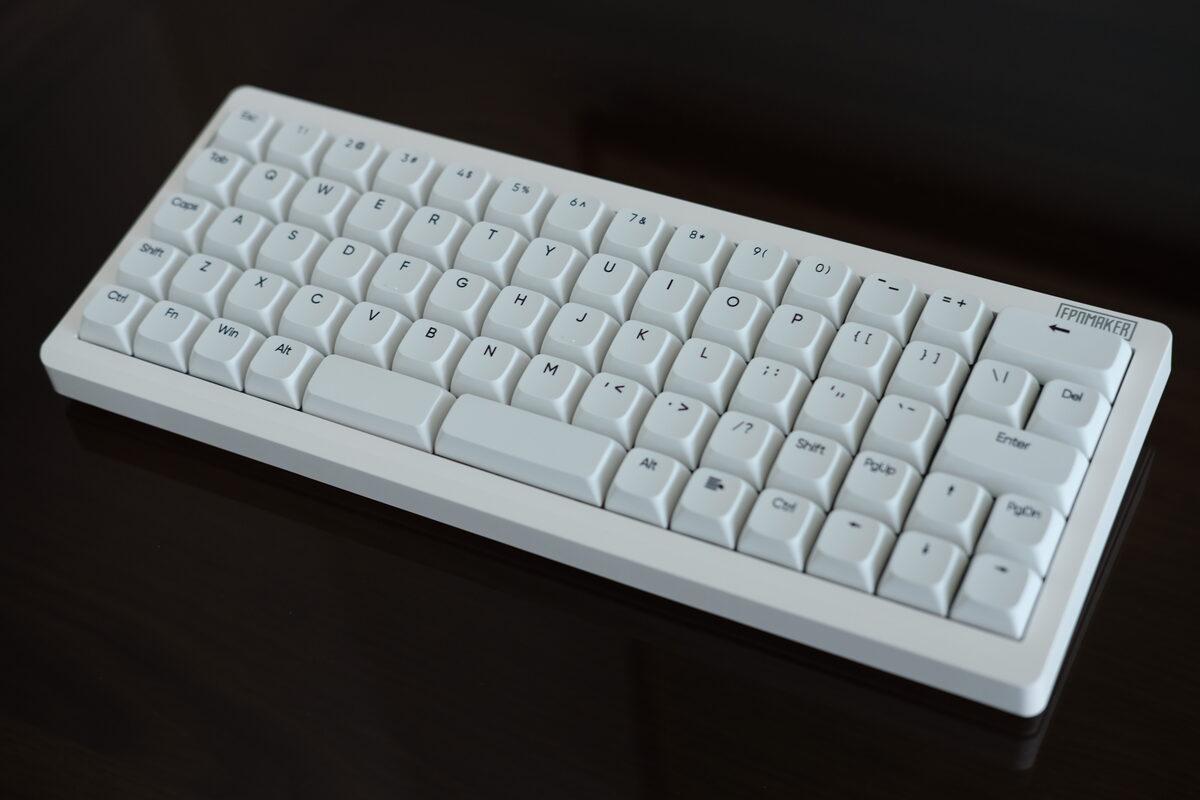
Hack70 keyboard.
What’s the build quality like?
The Hack70 is gasket mounted, which results in it sounding the best of these keyboards. The plate sits on soft gasket pieces instead of being screwed directly into the case, and I could feel that comfiness in the bottom-out. Keypresses had a cushioned stop rather than a hard plate impact.
The backside has a storage slot for the 2.4GHz dongle, and the case includes two levels of flip-out feet. I usually avoid tall rear feet, but they are there if you prefer a steeper typing angle.
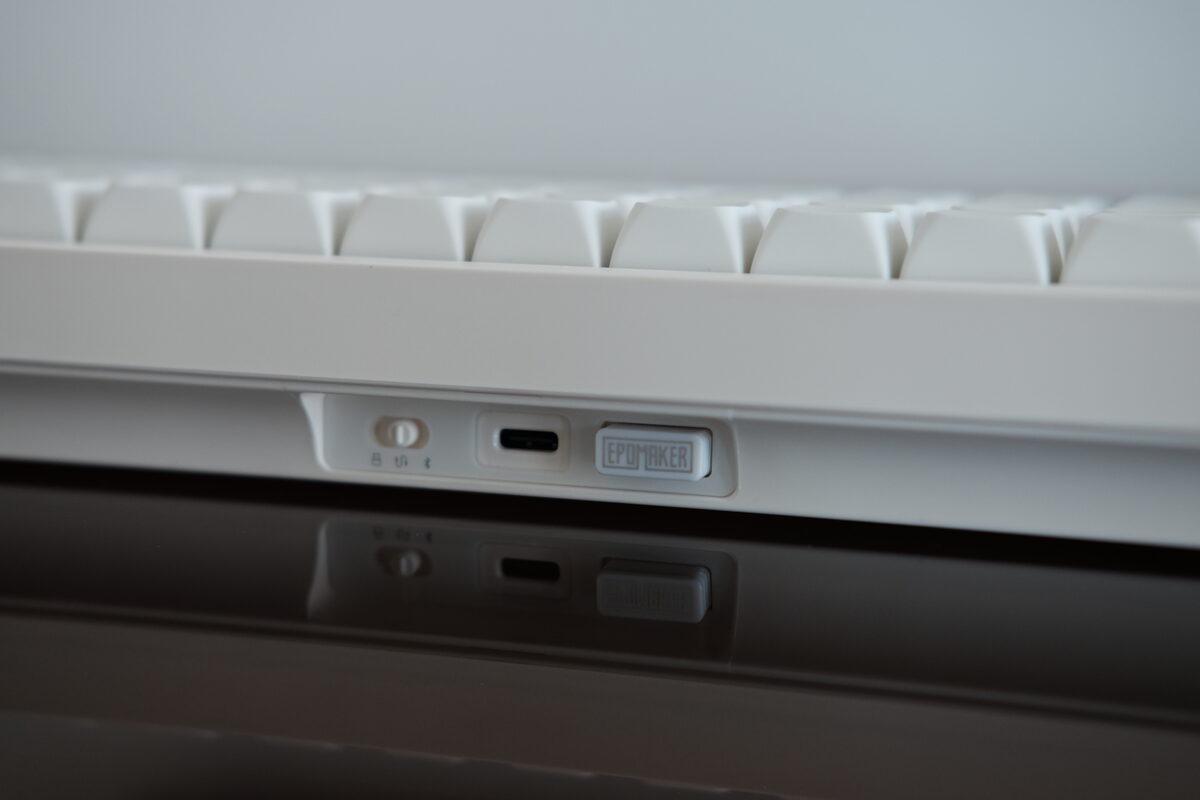
Back edge with the connection controls.
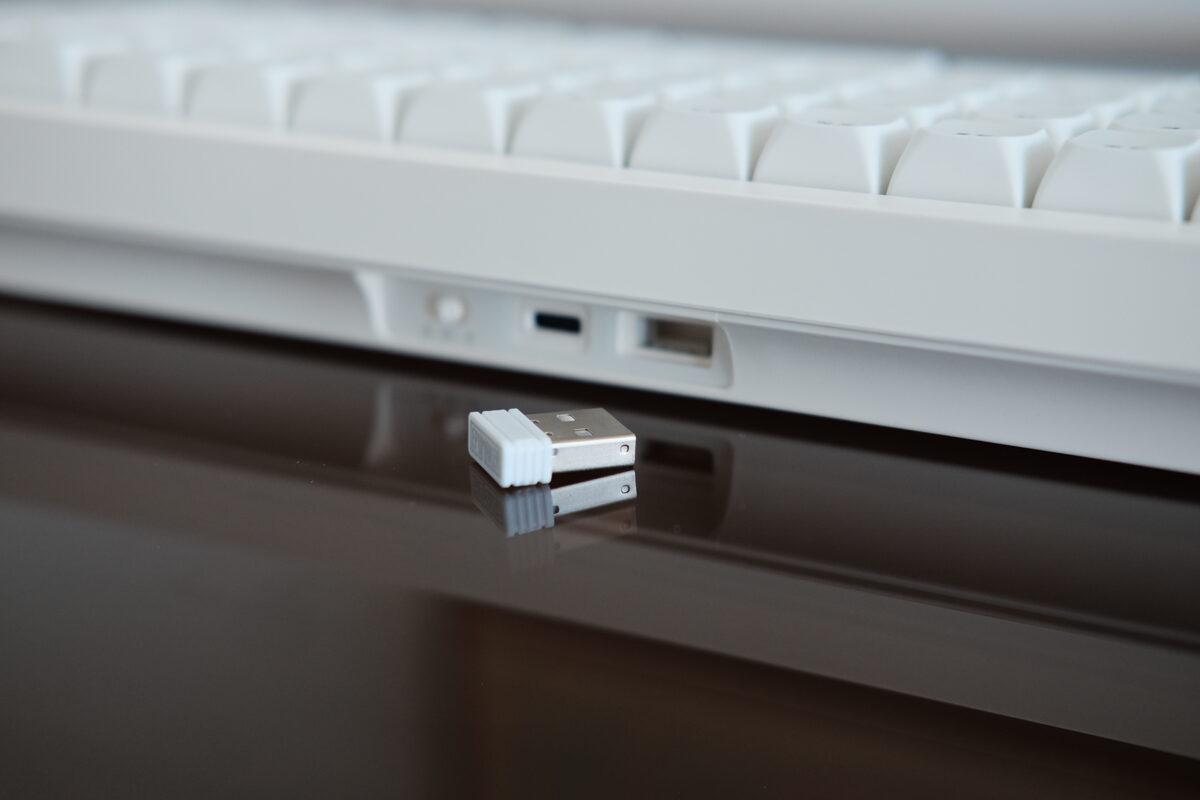
USB dongle removed from the storage slot.
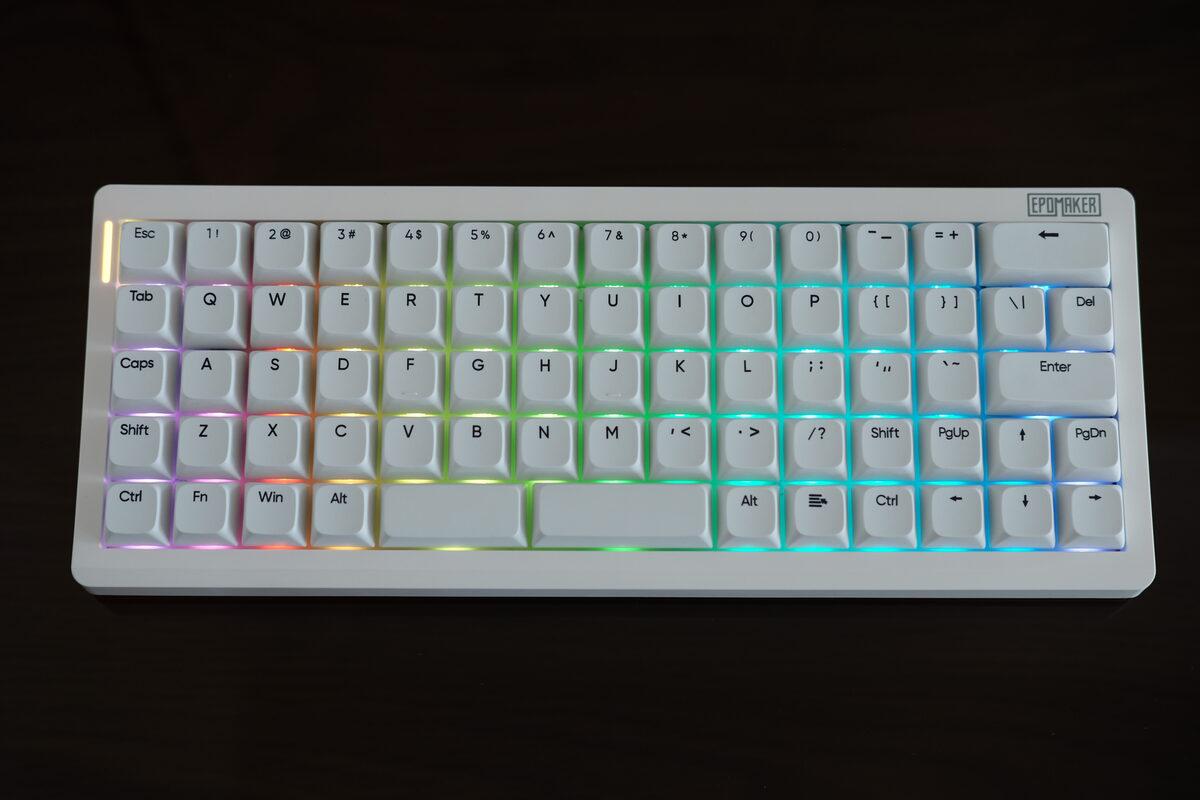
RGB through the keycaps and side indicator.
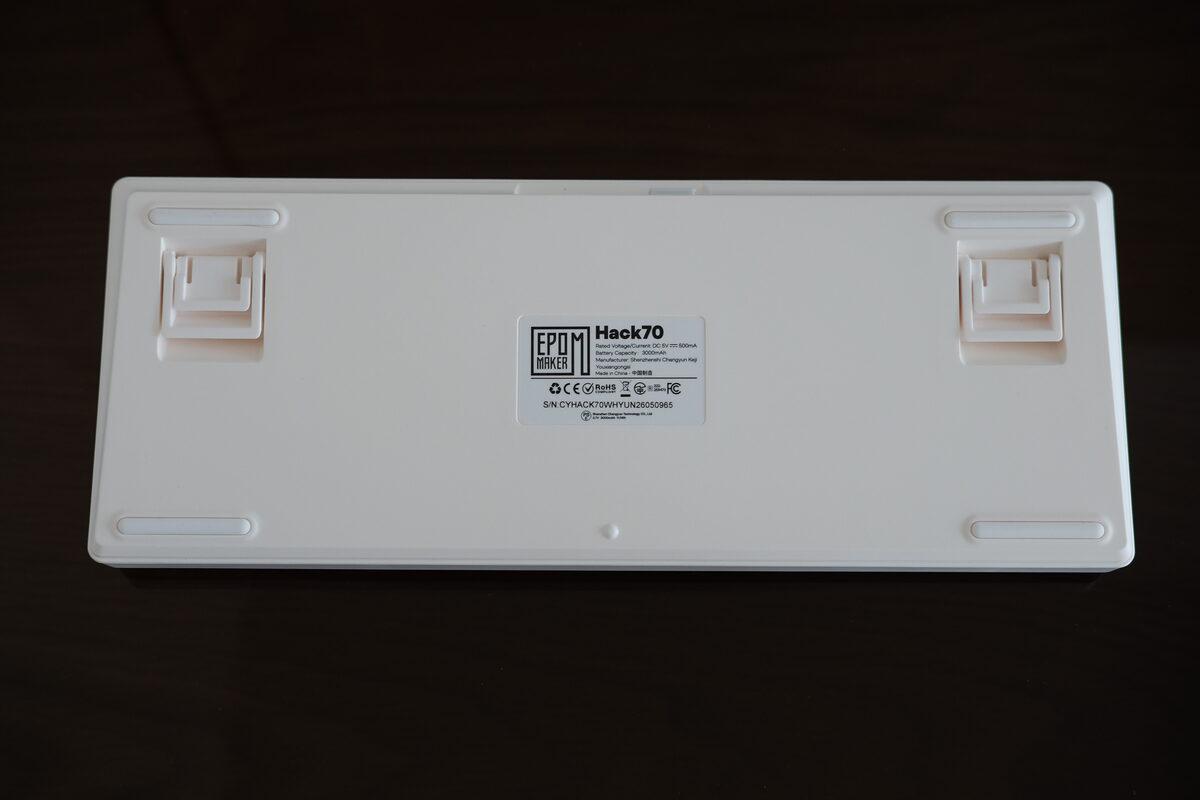
Underside of the keyboard.
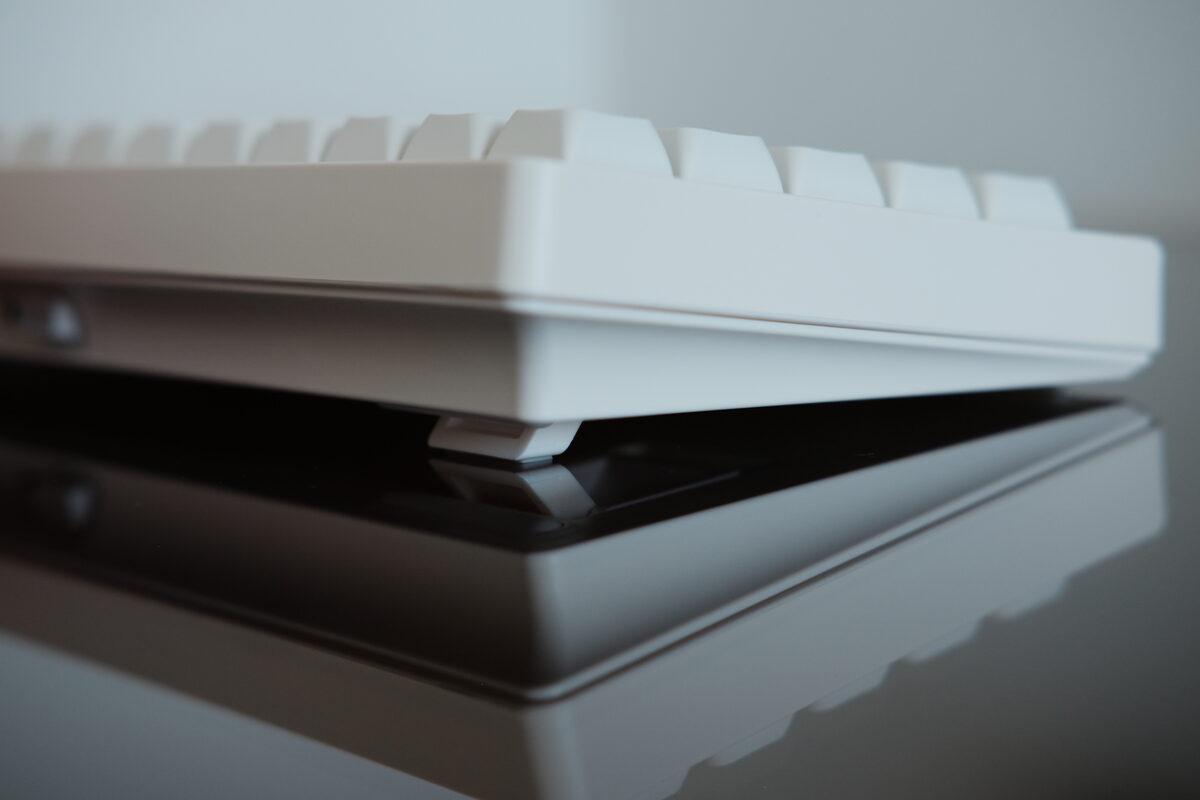
Lower feet extended.
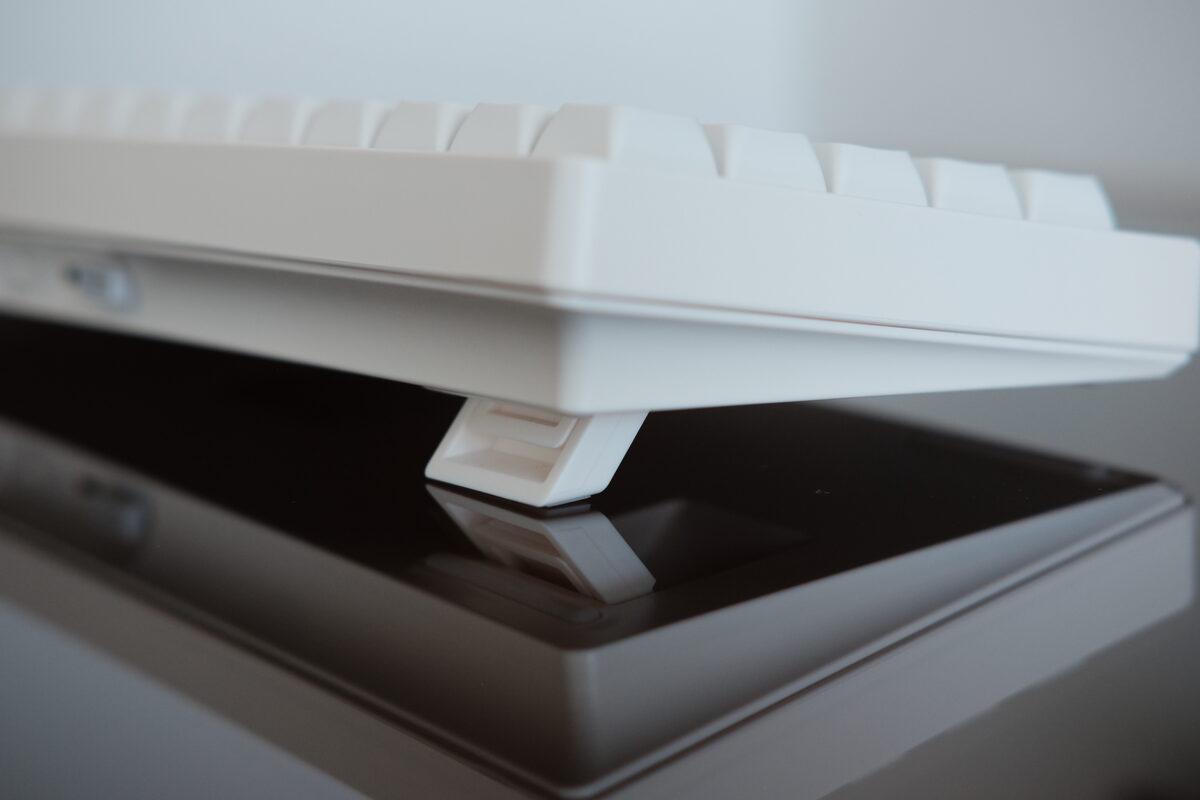
Higher feet extended.
The 45gf Creamy Jade linear switches are factory-lubed and consistent across the board. I did not notice scratchiness or spring noise while typing. The sound is lower and rounder than the Luma40, helped by the gasket mount and larger case volume. A very creamy sound, as the YouTubers would say!
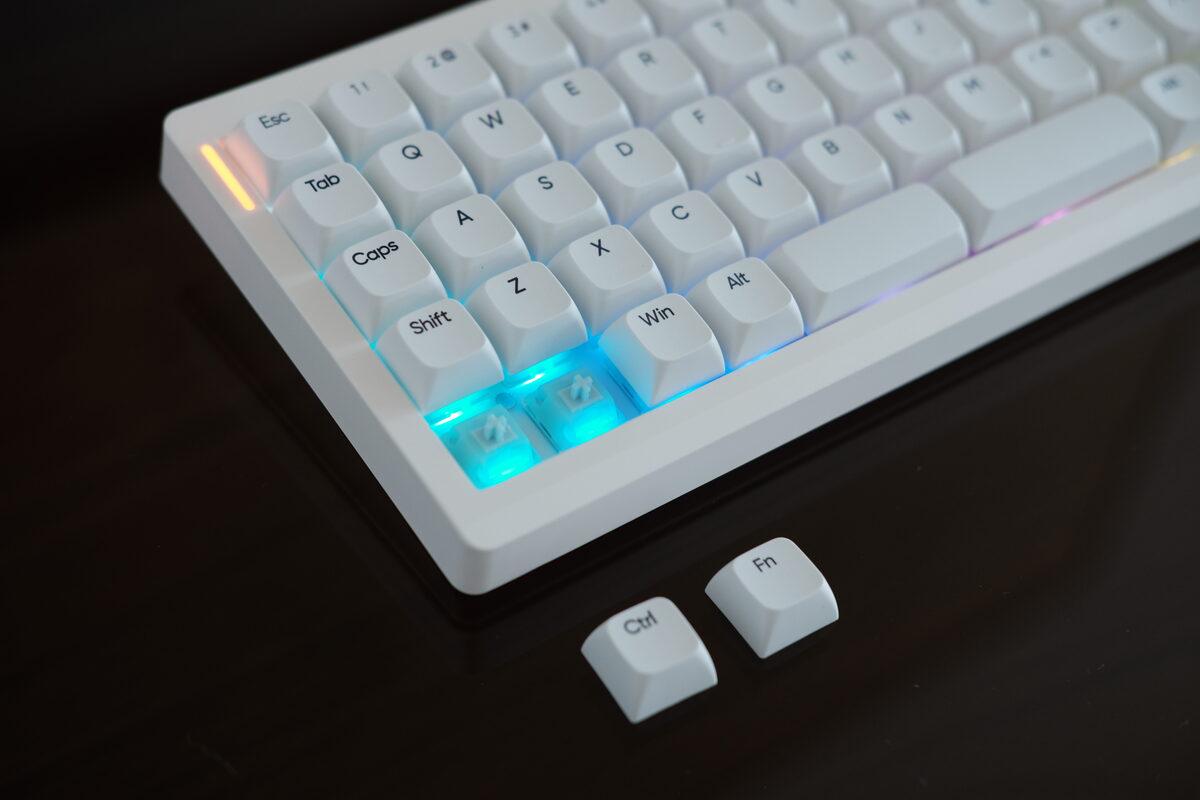
Keycaps removed, showing the RGB LEDs and plate.
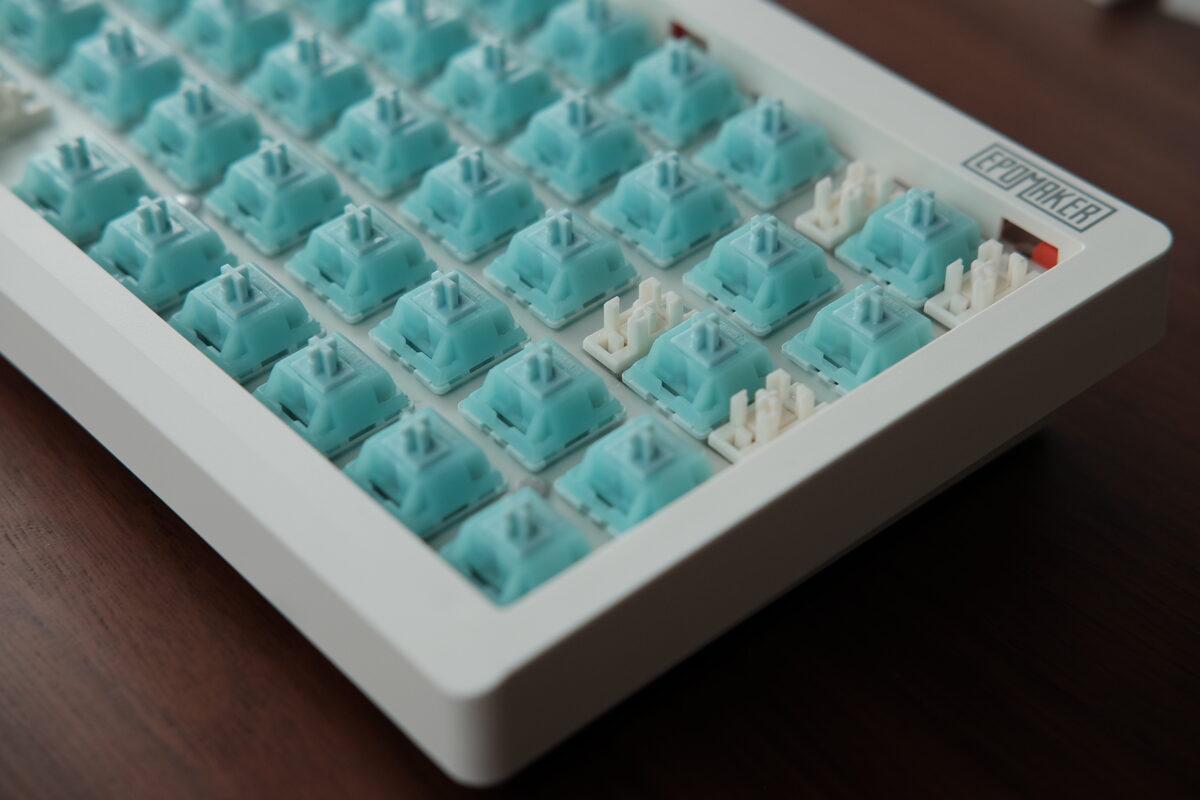
Close-up of the stabilizers. The orange pieces appear to be part of the gasket mount.
The XDA PBT keycaps fit the grid layout because every row uses the same height. The legends on my unit were sharper than the Split70’s legends, and the texture stayed matte during the time I used it. The font of the legends gives off Google/Android vibes (which may or may not be your thing), but it’s clean and modern against the off-white colour palette so I think it goes quite well together.
I tried to take the Hack70 apart, but the case has no visible exterior screws and the clips were tighter than I was willing to fight without a thinner pry tool. Switches came out easily. The enclosure did not.
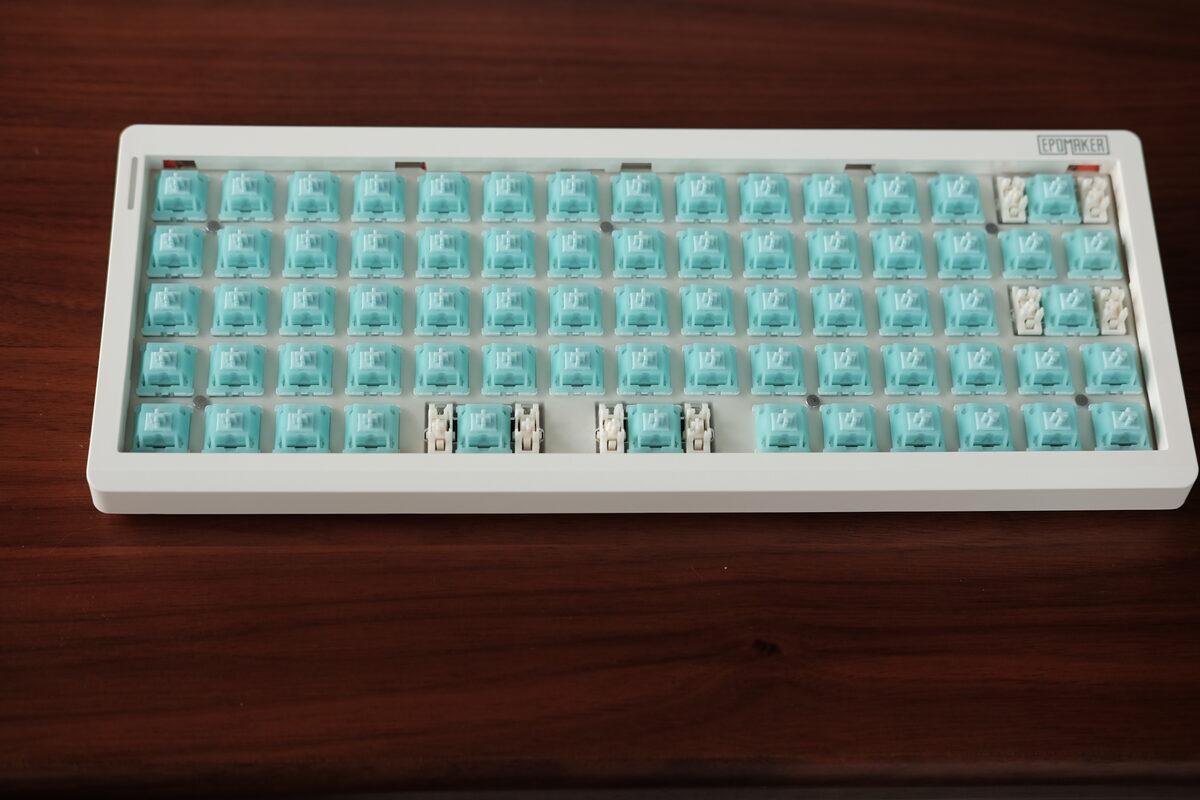
Keycaps removed.
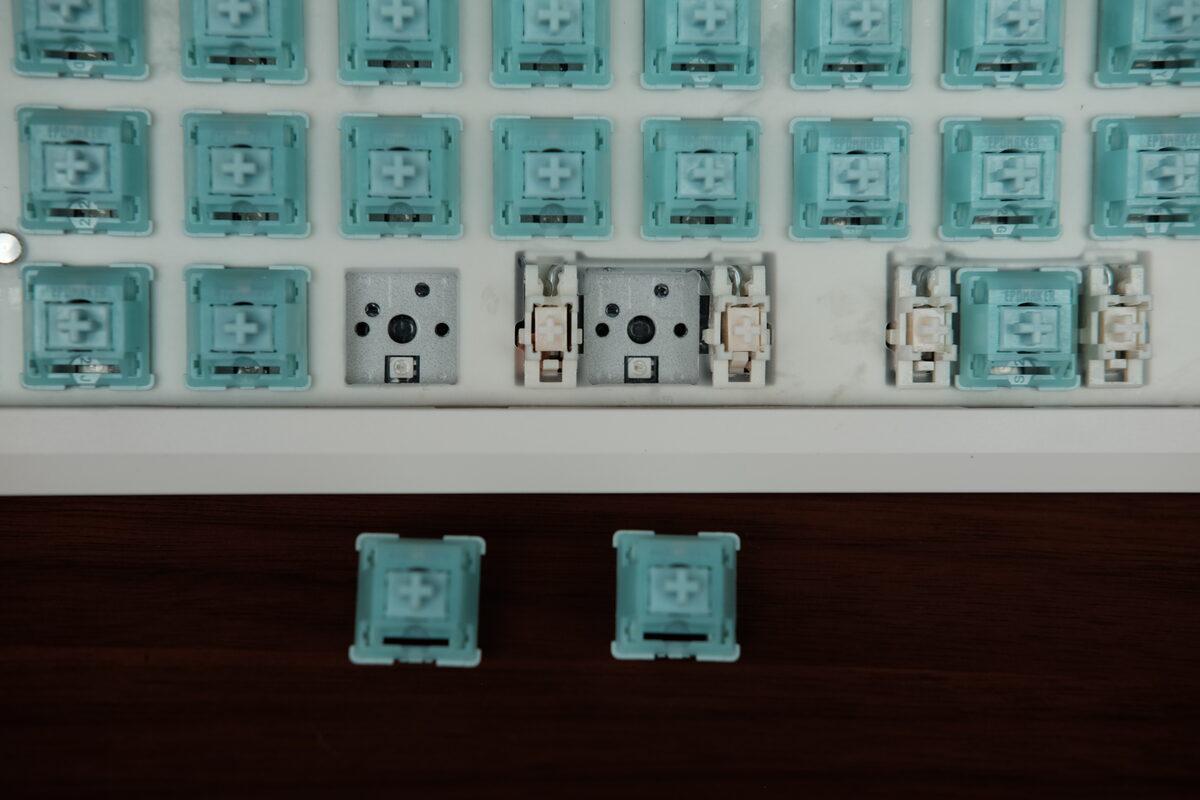
Switches removed.
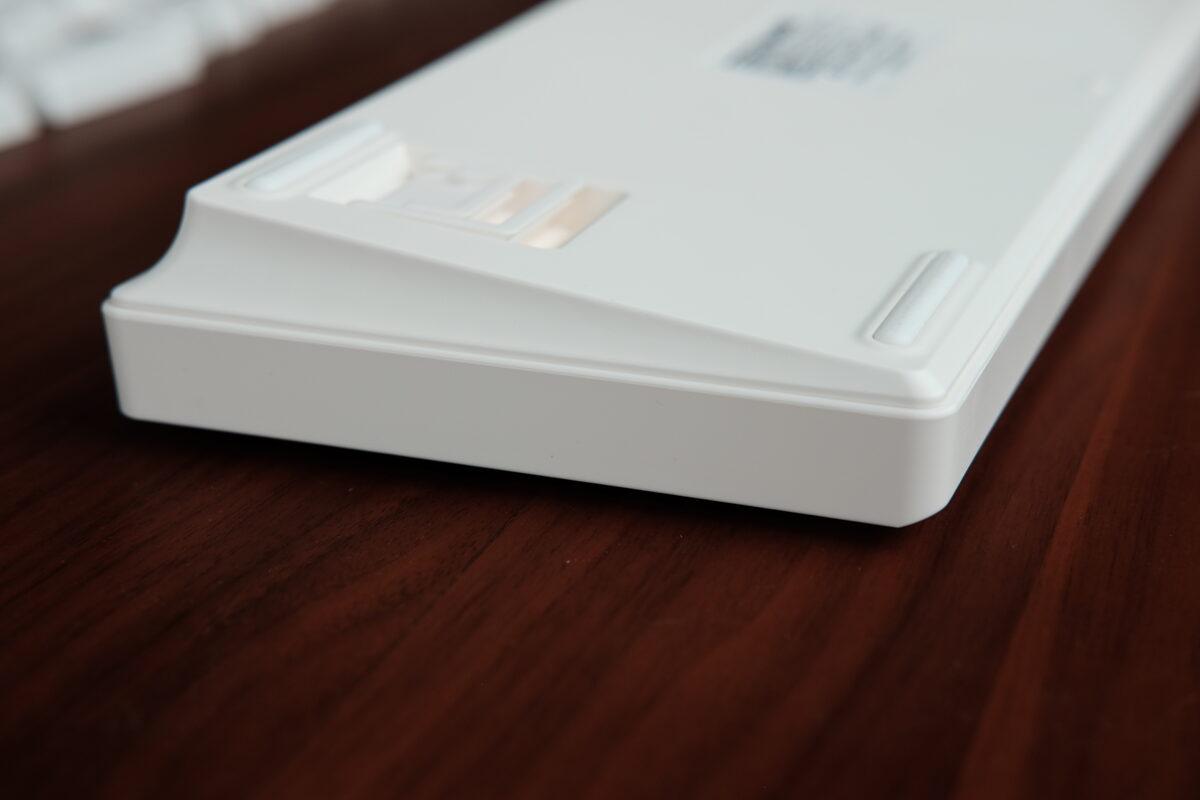
The case seam was too tight for the tools I had on hand.
Keycap inconsistency…
Sadly, my unit had one visible issue: the left spacebar sat lower than the right and looked slightly warped. It still registered normally and didn’t affect typing performance, but it was unfortunate to see this manufacturing defect on this otherwise well-built keyboard.
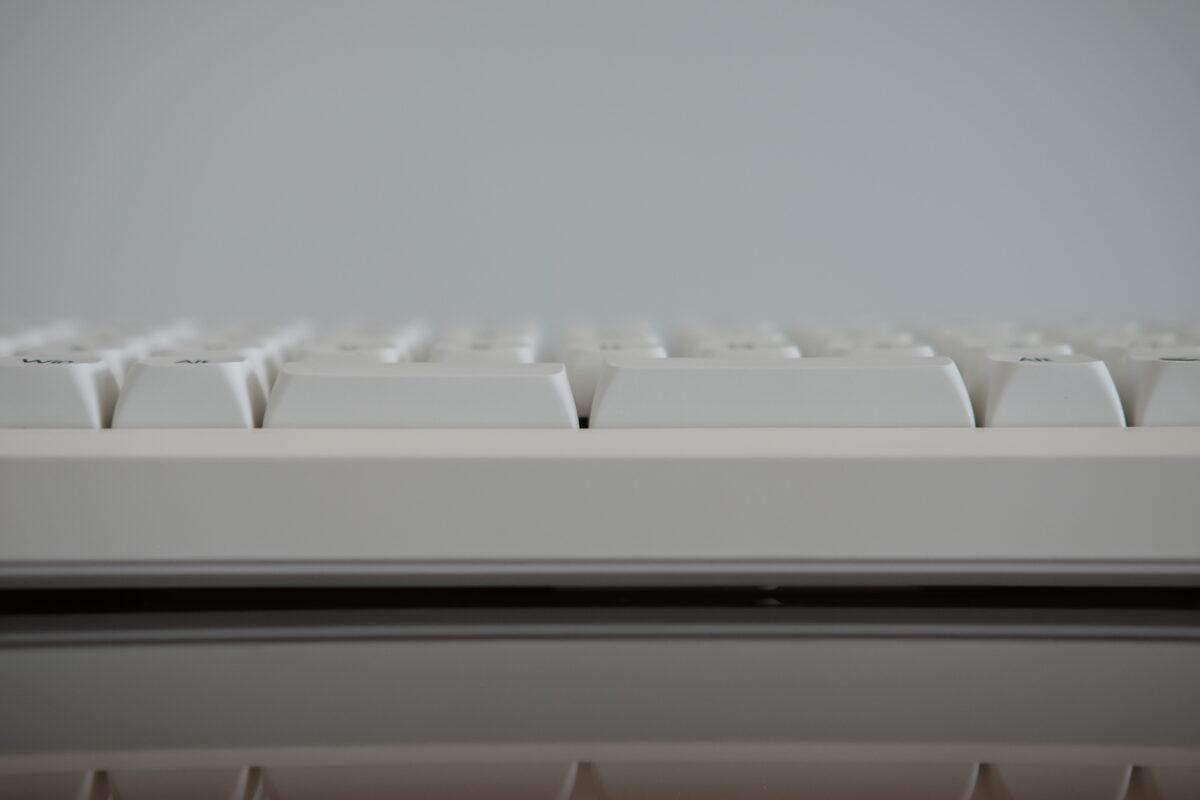
The left spacebar on my unit sits slightly lower than the right.
How does it type?
For normal letter keys, the Hack70 was the easiest board here to type on for long sessions. The switches are quiet, the bottom-out is cushioned, and the layout gives you enough keys that you are not constantly reaching through layers.
The default keymap was pretty standard, the second layer isn’t necessarily required for everyday typing since most keys are available on the main layer. But having the option to have easy access to macros or other shortcuts is a welcome feature.
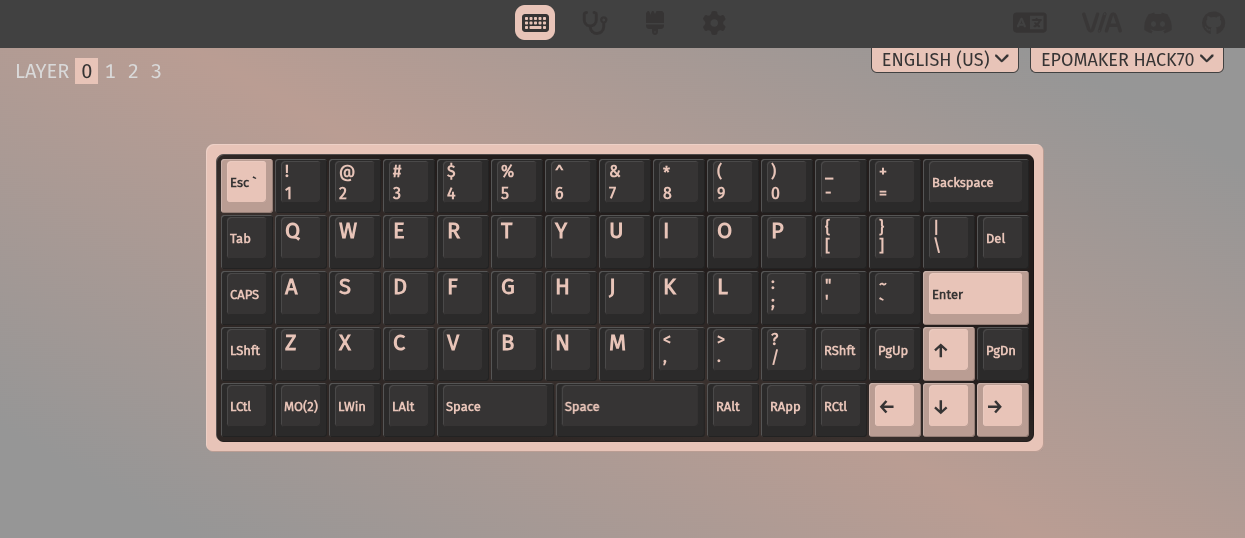
Main layer.
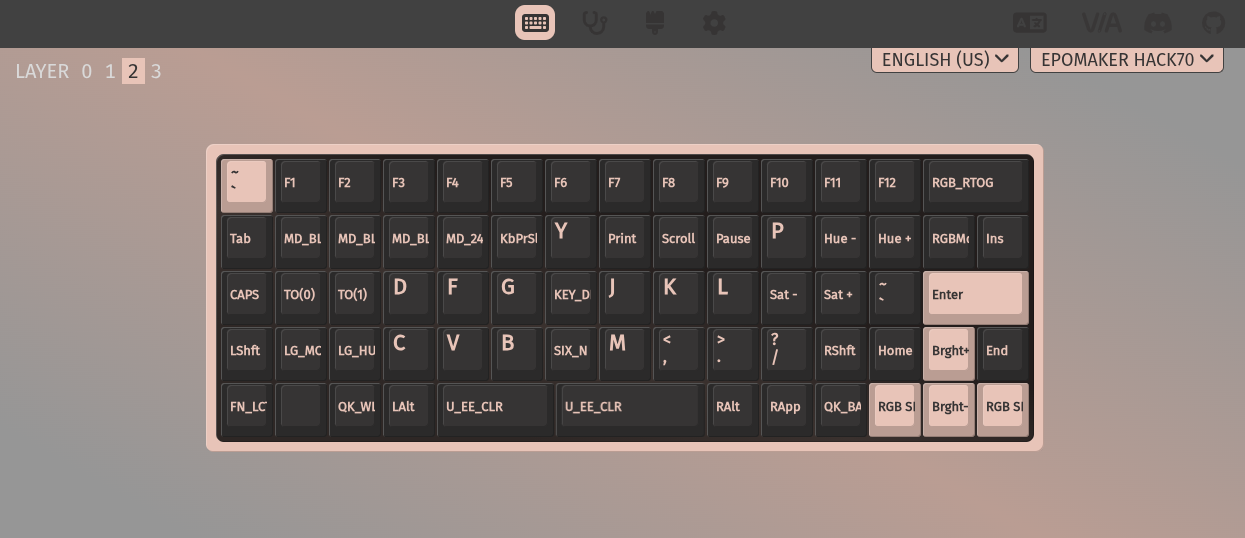
Secondary layer.
What’s interesting?
The split spacebar should have been the feature I liked most, since using thumb clusters is one of the main advantages of modern ergonomic keyboards. One thumb key for space and another for a navigation layer sounded perfect on paper…
The problem? The two spacebars don’t line up with the rest of the keys!
While I was using this keyboard, I kept missing space for the first few days and assumed I was just adjusting to a new board. Then I looked down and realized my thumbs were landing on the column gaps instead of the keys.
Instead of having two spacebars that equally span the 5U width like 2U + 3U or even 2U + 2U, they opted to use 2.25U + 2.75U. They likely did this to allow reusing keycaps from other boards, since 3U keycaps aren’t that common (if at all).

The spacebars are offset inward from the main columns.
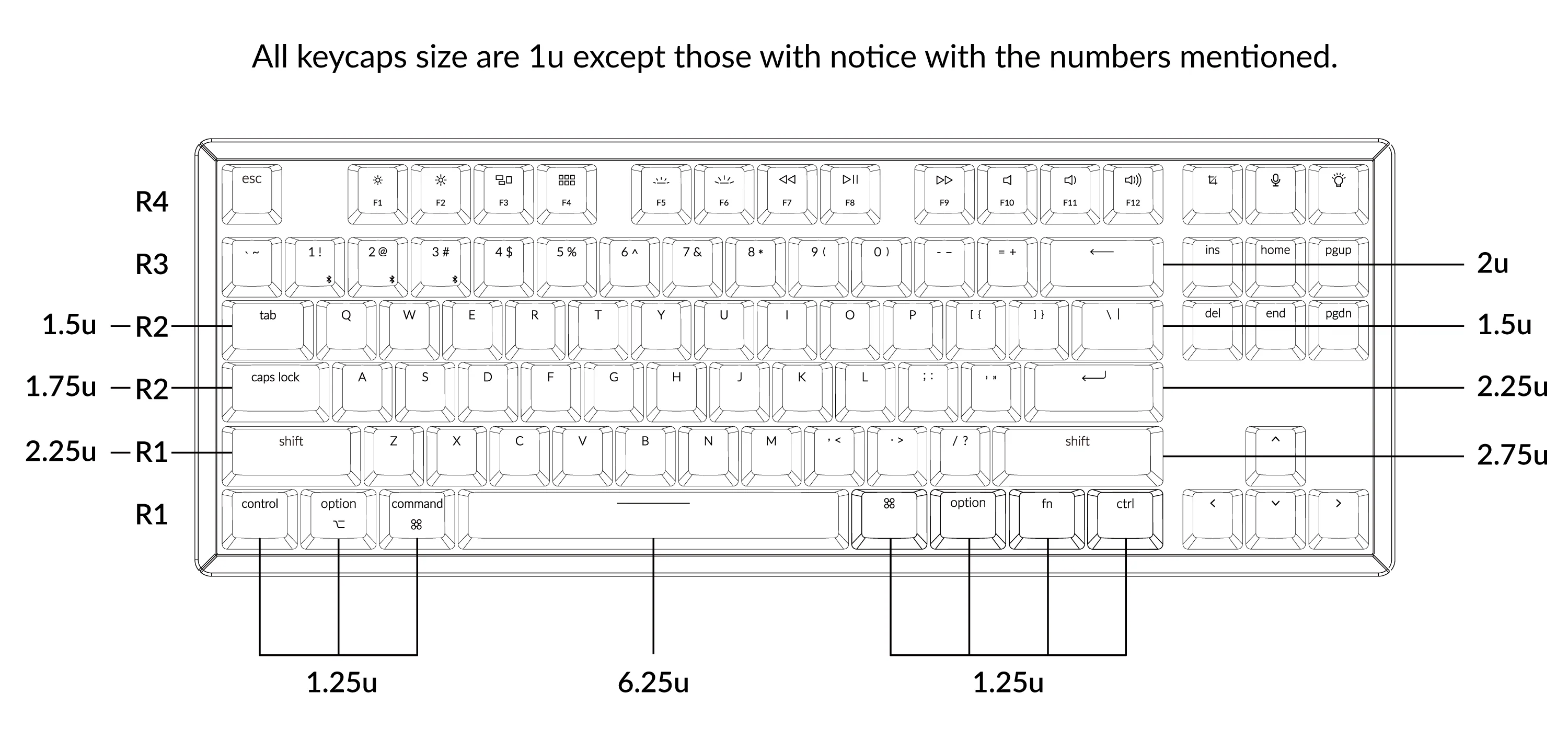
Diagram showing keycap sizes on a standard keyboard. (Source: Keychron)
This made using the Hack70 mildly frustrating… Typing felt great, sounded great, but the placement of the most commonly used key was a bit of a letdown.

The space bar placement requires my thumb to be tucked in more, and it also rests uncomfortably close to the edge.
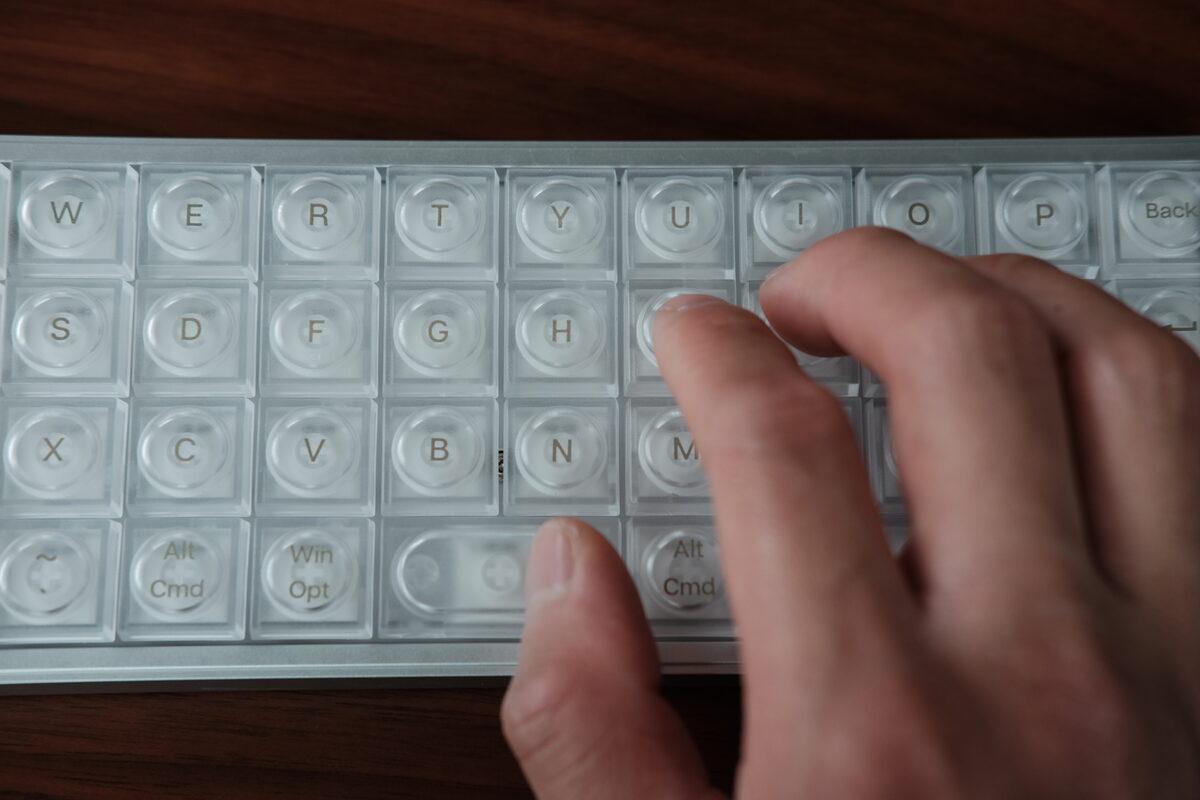
In comparison with using space on the Luma40, where my thumb can rest directly (and comfortably) centered underneath the N.
The Hack70 also keeps 2U Backspace and Enter keys on an otherwise grid-like layout. Visually, I understand the choice, but functionally, it introduces a few awkward positions.
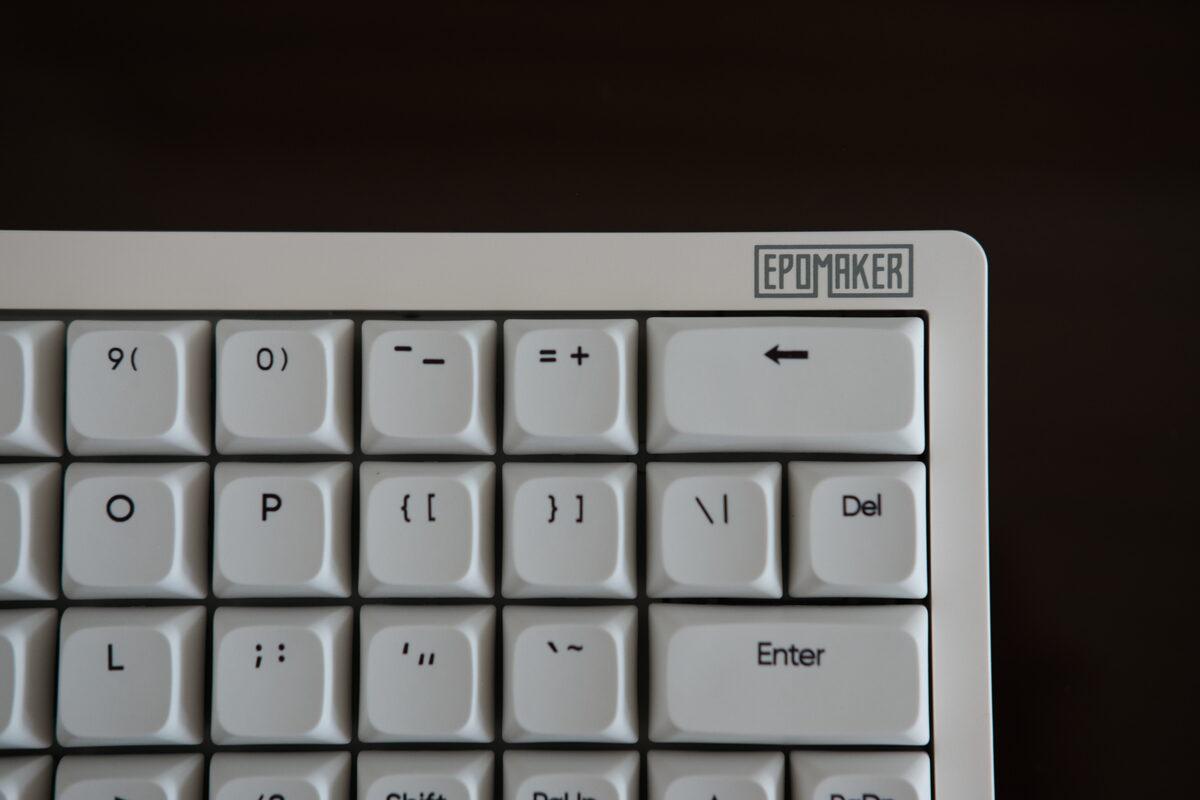
The 2U Backspace and Enter keys break the otherwise regular grid.
The backtick/tilde key sits between apostrophe and Enter, so I kept hitting it instead of Enter with my pinky. That may fade with time, but it is a layout tax, and one that is a bit strange for an otherwise “normal” keyboard layout.
Given all this, if I were to redesign this keyboard, I’d:
- Use 2U + 2U keys for the space bar, which would drop the overall space bar width from 5U to 4U
- Either:
- Option 1:
- Use 1U for both backspace and enter
- Drop the backtick/tilde key from its current place, and drop (and shift inwards) the entire outer column of the keyboard
- Caveat is this would also require losing either shift or page up beside the arrow key
- Option 2:
- Use 1U for just the backspace
- Move the backtick/tilde key to beside backspace
- Option 1:
Relatively small changes, but not needing to relearn the placement of the enter key is a real motivator and make the learning curve easier.
Who is it for?
The Hack70 is the board I wanted to like most. If you’re coming from a regular keyboard and want something smaller, programmable, and better-sounding than a typical budget board, it makes a strong case for itself.
If you already use ortholinear keyboards, the space bar placement is the thing to check before buying. As I mentioned before, I would have preferred two 2U spacebars under the V/B and N/M columns.
For me, the Hack70 has excellent keyboard components, but sadly is attached to a layout that will take a while for me to get used to. I do appreciate the design language of this board though, and am looking forward to seeing more boards like this.
Split70
What is it?
The Split70 is a row-staggered split keyboard. Unlike many ergonomic boards, it doesn’t ask you to relearn column stagger, thumb clusters, or a 36-key layout. It keeps the familiar row-staggered key positions and lets you separate the halves.
My unit is white with blue accents, 46gf Wisteria Linear V2 switches, a knob on the left half, and a column of dedicated macro keys.
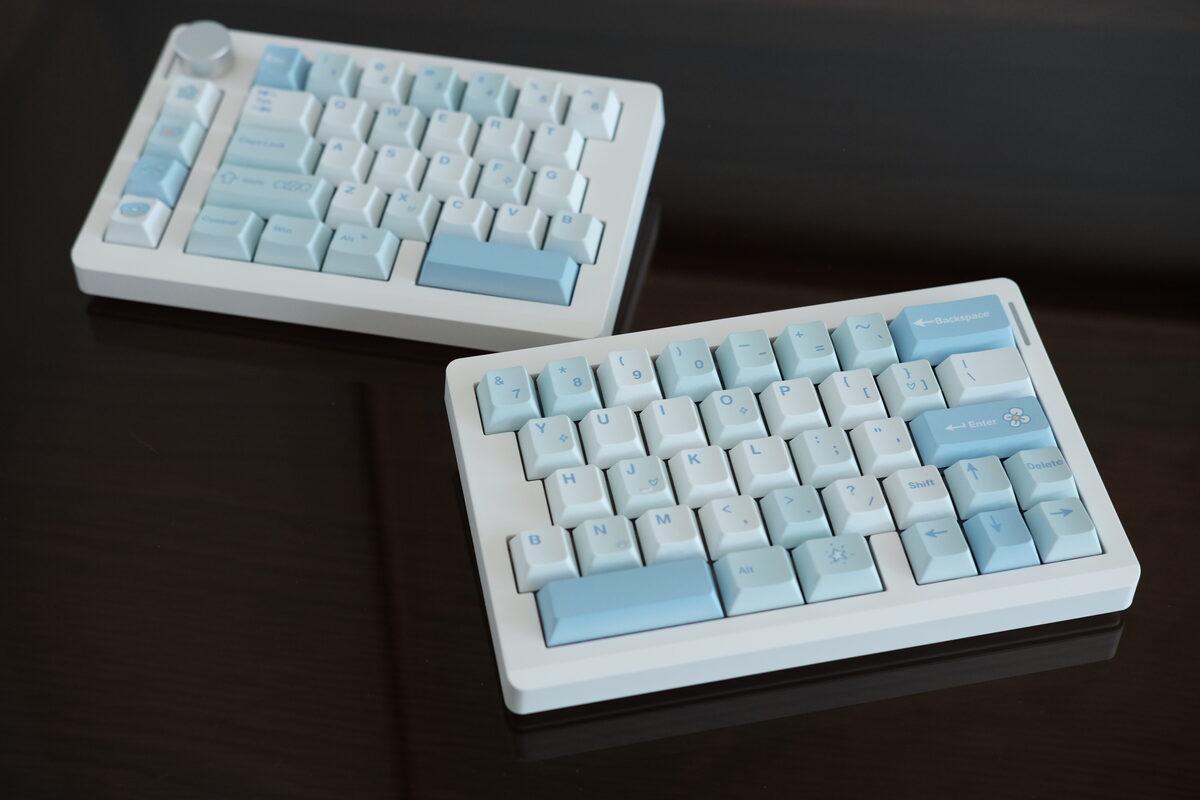
Split70 with the two halves connected.
What’s the build quality like?
The two halves connect magnetically. The magnets are strong enough to keep the halves aligned when the board is used as one piece, but weak enough that separating them doesn’t feel like a wrestling match.
The bottom uses rubber pads instead of adjustable feet, which I don’t mind since I typically don’t tent my splits anyway.
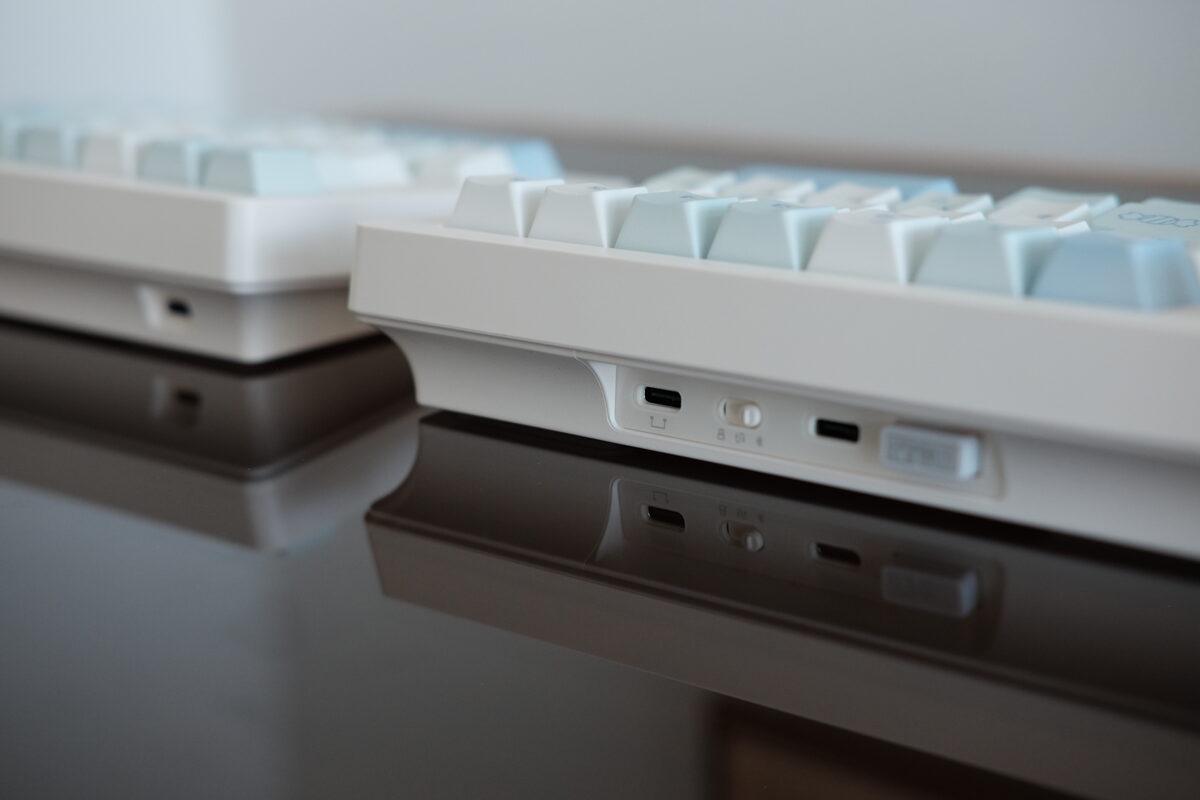
Back edge with the ports and wireless controls. The far-left USB-C port connects the two halves.
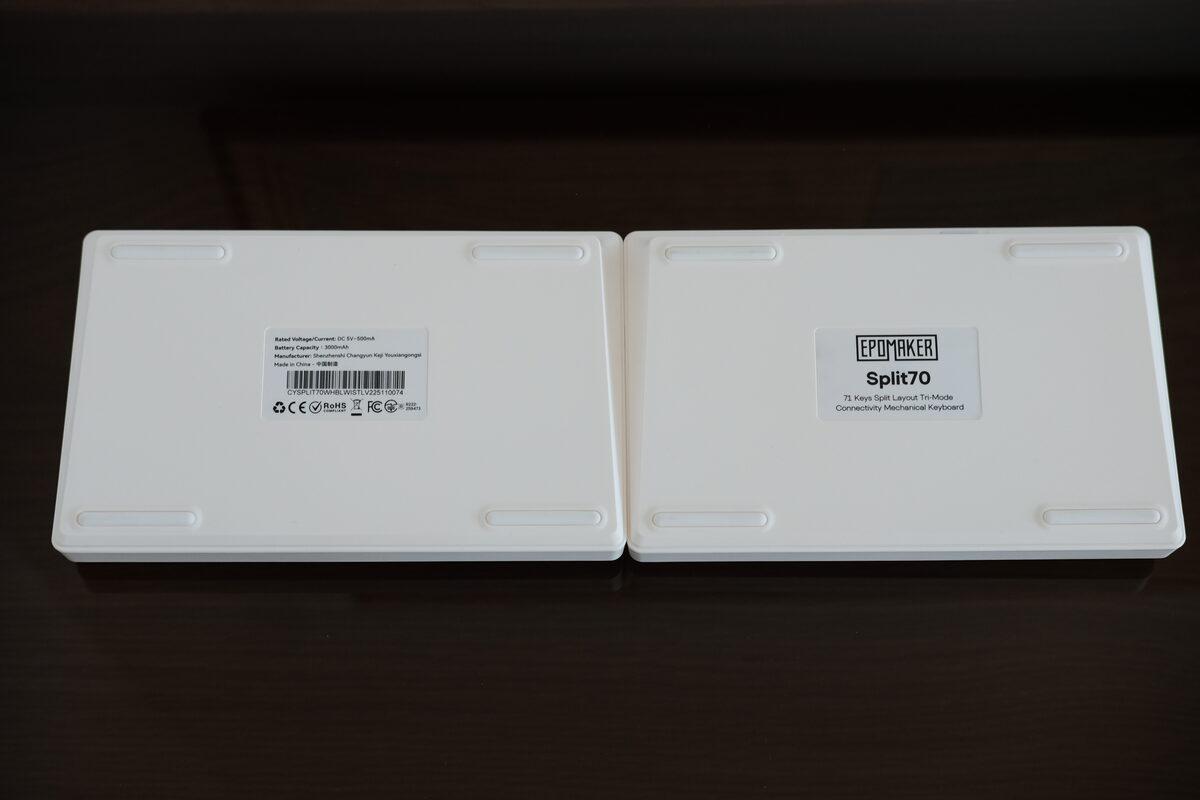
Underside of the Split70. Rubber pads, no adjustable feet.
The keycaps are the weakest visible part. The legends are softer than the Hack70’s legends, especially on close inspection. They work fine, but this is where the board looks more budget-conscious. However, it also comes in a black colourway and those keycaps look a bit better.
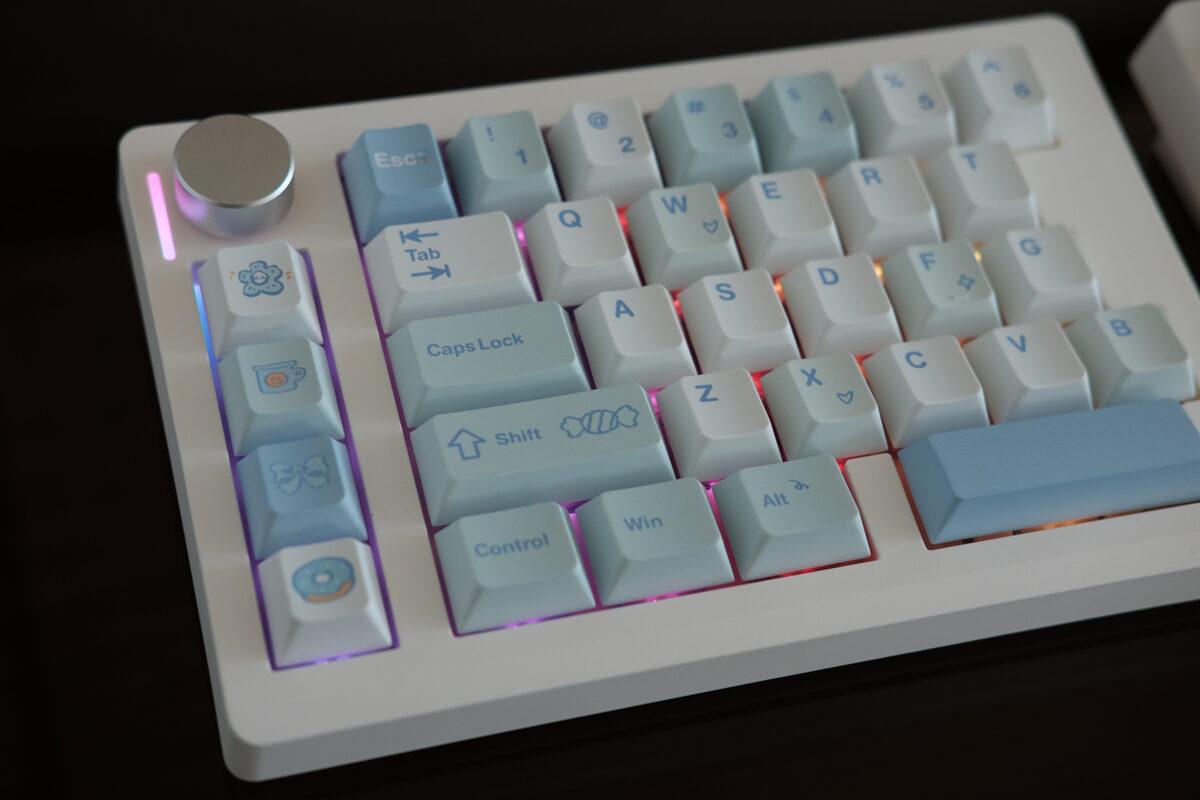
Close up of the keycaps.
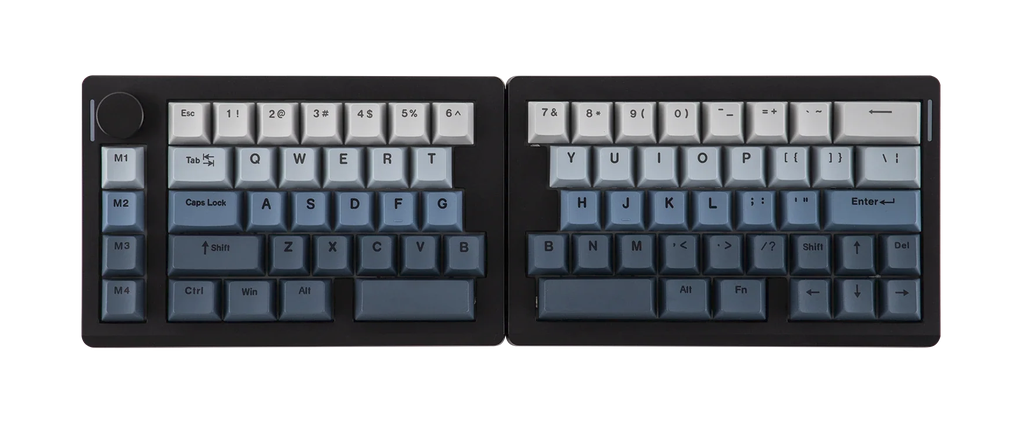
Split70 in black. (Source: Epomaker)
How does it type?
The Wisteria Linear V2 switches are quiet and lighter than the Hack70’s Creamy Jades. Above average, but not as nice feeling or sounding as the Hack70 though.
The row-staggered split layout made the transition easy. I could separate the halves, keep my wrists straighter, and still type without thinking about where every letter moved.
The tradeoff is desk space. A row-staggered split takes more room than the product photos suggest because you need space between the halves for the ergonomic benefit. The inner boarder is also quite large, adding to the overall footprint required.
What’s interesting?
Not much, but that’s a good thing for someone looking for a split traditional keyboard?
The duplicated B key on both sides is a nice addition since it alleviates the need to retrain the “B muscle memory”. On a normal keyboard, many people hit B with their right index finger even though it technically lives on the left side, so switching to a split usually requires relearning this behaviour.
The right Shift is 1U instead of the usual long key. I use left shift most of the time, so it didn’t bother me much.
The knob and macro keys are practical if you have specific uses for them. I used the knob for volume. I would probably map the macro column to workspace switching, media controls, or window management.
Who is it for?
The Split70 is for someone who wants the main ergonomic benefit of a split keyboard without going deep into custom ergo layouts. It is the least disruptive board here if you are coming from a normal keyboard.
There’s quite a few options in this space of split, row-staggered keyboards, so I’d only recommend this one if you like the aesthetics as well as the volume knob and mini macro pad. For me, it takes up too much space on my desk, but this may not be a problem for you.
So, which one would I keep using?
The Hack70 has the most cushioned switch and case feel of the three. It also has the layout decision that bothered me most, but I think most people can overlook this. It checks the most boxes and is also the cheapest of the these, so it’d be the one I would go for if I had to choose.
The Luma40 is the most limited, but was still enjoyable to use. It is a tiny ortholinear board with a rigid case, odd keycaps, and enough charm that I kept reaching for it even when it made me work harder.
The Split70 is the practical one. It gives you a split layout while preserving most normal keyboard habits. The keycaps look less refined than the Hack70’s (but they do have a dark colourway available), and it takes up more desk space once separated, but this is an easy keyboard to transition to for most people.
I came into this expecting the Hack70 to be the easy favourite. After using all three, I still think it is the most technically interesting board, but the Luma40 is the one I kept thinking about. I still prefer columnar stagger keyboards over any of these, but it’s nice to see more options available for those who don’t want to handwire their own custom keyboards.
Happy typing!